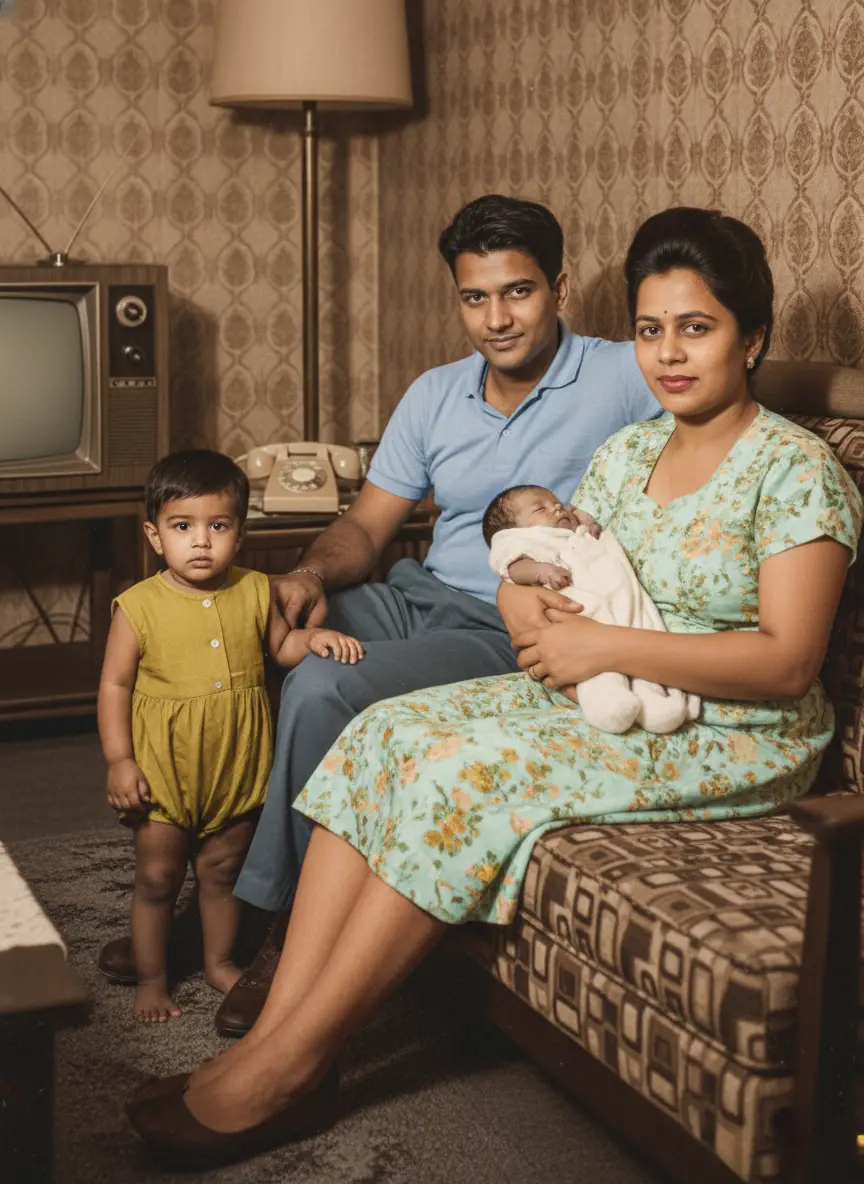
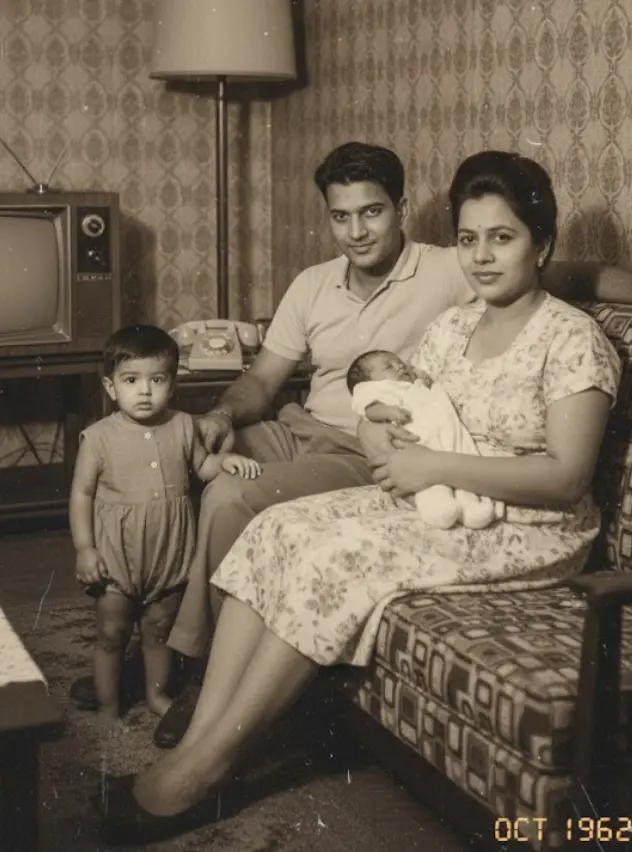
Staring at a faded, torn family photo, desperately wishing you could bring it back to life.
You’ve scanned it, uploaded it, and maybe even tried a few “free” apps. You end up wrestling with clunky interfaces or getting results that look worse than the original.
That feeling of disappointment, seeing those precious faces still hidden behind years of damage, is soul-crushing.
Perhaps you’ve told yourself, “It’s too complicated,” or “I’d need expensive software and a design degree to fix this.”
But that’s simply not true.
You don’t need to be a tech wizard or spend a fortune to restore your most cherished memories. The real challenge isn’t the impossibility of the task. It’s the overwhelming choice between countless free and paid photo restoration options.
We built BringBack specifically to make this process intuitive, powerful, and genuinely satisfying. So you can easily restore and share your family’s incredible heritage.
What Does Your Photo Need?
Before picking a tool, let’s figure out what kind of photo rescue mission you’re on.
Take a good, hard look at your damaged photos. What kind of damage are you dealing with?
- Minor scratches or dust? These are usually the easiest to fix.
- Faded colors? Color correction can make a huge difference.
- Severe tears, creases, or water damage? These require more advanced techniques.
The extent of the damage directly impacts the tool you’ll need.
Next, think about how many photos you want to restore.
- Just a handful of precious memories?
- Or a whole shoebox full of family history?
If you’re facing a mountain of photos, you’ll want a tool with batch processing to save time.
Let’s also be real about your budget.
- Are you looking for a completely free solution?
- Or are you willing to invest in a paid tool for superior results?
Remember, some paid options offer subscriptions or one-time licenses. For example, LetsEnhance costs $9 a month, while HitPaw offers plans starting at $5 per month.
Answering these questions will guide you to the perfect solution.
Free Photo Restoration Apps: A Beginner’s Toolkit
If you’re just starting out, several free photo restoration apps can help breathe life back into your old photos.
These are generally user-friendly and perfect for basic tasks. Here are some popular options:
- Fotor (online): A web-based editor that’s great for quick fixes and enhancements.
- Photopea: Another robust online editor that mimics Photoshop’s layout and features.
- Hotpot AI (online): Uses AI to automatically enhance and restore photos online.
- Adobe Photoshop Express: A simplified version of Photoshop for mobile devices.
- Renew App: This app offers a completely free version with daily limits. I like that it lets you adjust the ‘AI Power’ settings for improved results.
These free tools are suitable for basic tasks like correcting faded colors, removing minor scratches, and cropping. Many even offer AI-powered features for colorization and blur reduction.
However, free tools have limitations.
- Lack of precision: You might not have fine-grained control over every detail.
- Watermarks or ads: Some apps add watermarks or bombard you with ads in the free version.
- Limited pixel-level control: This is frustrating when you need to fix very specific imperfections.
- Resource intensive: Some apps may be slow if they require a lot of processing power.
If you’re dealing with lightly damaged photos and want to dip your toes into photo restoration, free apps are a great place to start.
But if you need more power and precision, you’ll want to consider paid options. Ome more issue with free options is eaither you don’t use them commercially or they download with a watermark.
Paid Photo Restoration Software: Advanced Power
For those serious about reviving their cherished photos, paid software offers a significant leap in capabilities.
These tools provide advanced features, more control, and superior results, especially for heavily damaged photos.
Let’s explore some popular choices:
- BringBack AI: Known for its advanced damage restoration and realistic photo aniamtion
- Adobe Photoshop: The industry standard, offering unmatched versatility and power.
- PhotoGlory: Designed specifically for photo restoration, with a user-friendly interface.
- Topaz Labs A.I. Gigapixel: Uses AI to upscale images with incredible detail.
- MyHeritage InColor: Specializes in colorizing black and white photos with impressive accuracy.
- LetsEnhance: Uses AI to enhance image resolution and quality.
- Claid.ai: An API for professionals needing to restore photos at scale.
What makes these paid options superior?
They use sophisticated algorithms and better-trained AI to repair damage more effectively, resulting in more accurate and natural-looking restorations. You also get granular control over every aspect of the process.
For instance, Bringback AI is made for the same which can rescue photos taken with older cameras. The noise reduction with BringBack AI is also incredible.
If you’re serious about preserving your family history and want the best possible results, paid photo restoration software is a worthwhile investment.
Feature Face-Off: Free vs. Paid
To help you make the right choice, here’s a comparison matrix highlighting the strengths and weaknesses of free and paid options.
| Feature | Free Options | Paid Options |
|---|---|---|
| Scratch Removal | Good for minor scratches. You’ll be frustrated by anything major. | Excellent. Advanced algorithms precisely target and remove scratches. |
| Color Correction | Suitable for basic adjustments. Often lacks nuanced control. | Offers precise control over color. Recovers faded colors with stunning accuracy. |
| Blur Reduction | AI-powered blur reduction can be decent. Results are often inconsistent. | Superior blur reduction algorithms. Sharpen details and restore clarity effectively. |
| Tear Repair | Struggles with significant tears. Results can look artificial. | Excels at seamlessly repairing tears. Reconstructs missing areas with detail. |
| AI Upscaling | Some free tools offer basic AI upscaling. Don’t expect miracles. | Exceptional AI upscaling. Blow up photos while preserving detail. I am always impressed with Topaz Labs A.I. Gigapixel here. |
| Object Removal | Often clunky and imprecise. | Refined and seamless. Easily remove unwanted elements without a trace. |
| Batch Processing | Limited or unavailable in most free options. | A standard feature. Saves significant time when restoring large collections. |
| Watermarks | Often adds watermarks to your photo. | No watermarks. You get a clean, professional result. |
Case Studies: Real-World Examples
Let’s see how these tools perform in real-world scenarios. Seeing before-and-after examples will make your choice crystal clear.
Case Study #1: Faded Color Photos from the 1950s
Imagine a you have photo of your grandparents from 1950s. The colors have faded, leaving a washed-out, lifeless image.

- Free App Approach: Might improve contrast slightly, but colors will likely remain dull. Expect to spend 30 minutes tinkering for a “meh” result.
- Paid Software (e.g., Photoshop) Approach: You can precisely adjust color channels and restore vibrant hues. This might take an hour, but the results will be stunning.
- Our BringBack Approach: Our AI color correction instantly revives faded colors, intelligently enhancing the image for a natural, vibrant result in seconds.

The Takeaway: For faded colors, paid software or a specialized AI tool offers superior results.
Case Study #2: Severely Cracked Glass Plate Photos
Old glass plate photos are fragile and often suffer from severe cracks.
- Free App Approach: Free apps will struggle. They lack the precision for complex damage. You’ll spend hours trying to patch up cracks, and the result will likely look artificial.
- Paid Software (e.g., PhotoGlory) Approach: PhotoGlory specializes in this. Its cloning tools allow for meticulous crack removal. Expect to spend several hours on a single image.
- Our BringBack Approach: Our AI-powered repair tool intelligently reconstructs cracked areas, blending them seamlessly into the image and reducing manual labor to minutes.
The Takeaway: For cracked photos, specialized paid software or an advanced AI tool is essential.
Case Study #3: Photos with Water Damage and Mold
Water damage can wreak havoc, causing stains, warping, and loss of detail.

- Free App Approach: Virtually useless. They cannot handle the complexities of water damage.
- Paid Software (e.g., Luminar Neo) Approach: Luminar Neo’s AI can remove stains and restore some detail, but manual adjustments are still required. This takes considerable time and expertise.
- Our BringBack Approach: Our AI intelligently detects and removes water damage, restores lost detail, and brings back clarity with minimal effort.

The Takeaway: For water damage, powerful AI tools offer the best chance of recovery.
These examples show that the right tool can make all the difference.
Mini-Tutorials: A Hands-On Comparison
Let’s walk through some common photo restoration tasks to highlight the differences in effort and outcome.
Scratch Removal: GIMP (Free) vs. Photoshop (Paid)
Photoshop (Paid):
- Open your image and select the “Spot Healing Brush Tool.”
- Simply click or drag over the scratch. Photoshop intelligently blends the surrounding pixels.
- Use the “Clone Stamp Tool” for more complex scratches.
The Experience: Photoshop’s tools are more intuitive and powerful. You can achieve professional-looking results in a fraction of the time.
Our BringBack Approach:
- Upload the image.
- Click “Restore Photo.” Our AI automatically detects and removes the scratches.
- Download the restored image.
The Takeaway: Photoshop offers more precision. But for speed and simplicity, an AI-powered tool is the way to go.
Reducing Blur: Photopea (Free) vs. Topaz Sharpen AI (Paid)
Photopea (Free):
- Open your photo and go to “Filter” > “Sharpen” > “Unsharp Mask.”
- Experiment with the “Amount,” “Radius,” and “Threshold” sliders.
- Be careful not to over-sharpen and introduce ugly digital artifacts.
The Experience: This can improve sharpness, but it requires a delicate touch. It’s easy to overdo it, and the results are often mediocre.
Topaz Sharpen AI (Paid):
- Open your photo and select an AI mode (“Standard,” “Motion Blur,” etc.).
- The AI analyzes the image and automatically adjusts the sharpening.
- Refine the results if needed.
The Experience: This software is transformative. Its AI intelligently removes blur and restores details without introducing artifacts. The results are consistently impressive.
These tutorials show that while free tools can be useful for basic tasks, paid software offers more power, precision, and better results. We designed BringBack to provide a balance: powerful AI tools that are accessible to everyone.
User Experience: Usability, Support, and Frustrations
Choosing the right software isn’t just about features. It’s about how easy and enjoyable it is to use.
Usability and Learning Curve
Free software like GIMP can be powerful, but the interface is often clunky and overwhelming. Expect a steep learning curve.
Paid software like Photoshop offers a more polished experience, but the sheer number of features can still be daunting. Mastering it takes time.
I’ve spent hours wrestling with both. It’s easy to get lost in menus, and simple tasks can become surprisingly complex.
Online tools like Fotor and Photopea have a simpler interface, but they can be limited in functionality and bombard you with ads.
We designed the BringBack interface to be intuitive and user-friendly. The focus is on simplicity, so you can achieve impressive results without a steep learning curve.
Privacy Matters: The Security of Your Photos
When you upload your family photos, you’re entrusting a company with incredibly personal data. It’s vital to understand how they handle your images.
Data encryption is a must. Make sure the website uses HTTPS.
Check the tool’s storage and data retention policies. Where are your photos stored? How long are they kept? Are they automatically deleted?
I’ve seen some online tools with vague or nonexistent privacy policies. This is a major red flag.
At BringBack, we take your privacy seriously. Our policy is clear:
- Your photos are encrypted both in transit and at rest.
- We automatically delete your photos after a short period, giving you time to download them.
- You can also manually delete your photos at any time.
We never share your photos with third parties. We built BringBack with privacy as a priority. Your family’s history is safe with us.
Which Tool is Right for You?
Deciding between free and paid tools depends on your needs and skill level.
Free tools are a good starting point for basic tasks like minor scratches or simple color correction, especially on a tight budget.
Paid software offers more power and precision. It’s ideal for heavily damaged photos and professional-quality results.
Here are some specific recommendations:
- Best for Beginners with Minor Damage: Start with free apps like PhotoScape or Fotor.
- Best for Serious Hobbyists: Consider paid software like BringBack AI or Luminar Neo.
- Best for Professionals: Adobe Photoshop is the industry standard.
- Best for AI-Powered Enhancements: BringBack AI leads here, you can also go for Topaz Labs A.I. and MyHeritage InColor which are worth the money.
We designed BringBack to be an easier alternative for most people. We’ve combined powerful AI with a simple interface to make photo restoration accessible to everyone, achieving impressive results without the complexity.
Beyond Software: Alternative Restoration Methods
Sometimes, software isn’t the only answer.
Professional photo restoration services are an option. You can outsource the work to experts.
- Pros: High-quality results.
- Cons: Can be expensive (\$50-\$200+ per photo) and time-consuming.
Physical photo restoration involves traditional, hands-on techniques.
- Pros: Preserves the original photograph.
- Cons: Risky, very expensive, and requires skilled conservators.
I’ve seen mixed results with outsourcing services. Communication can be challenging, and the quality doesn’t always match expectations.
Ultimately, the best approach depends on your budget, time, and desired level of quality.
Software like BringBack offers a balance. It provides a cost-effective, efficient solution that empowers you to restore your family’s history yourself.