// AI denoise & sharpen //

Unblur & sharpen old photos.

Remove film grain, reduce digital noise, and recover clearer facial details from soft or blurry family photos with AI.
BringBack customer
BringBack customer
BringBack customer
3.1K+
Trusted by 3.1K+ Families
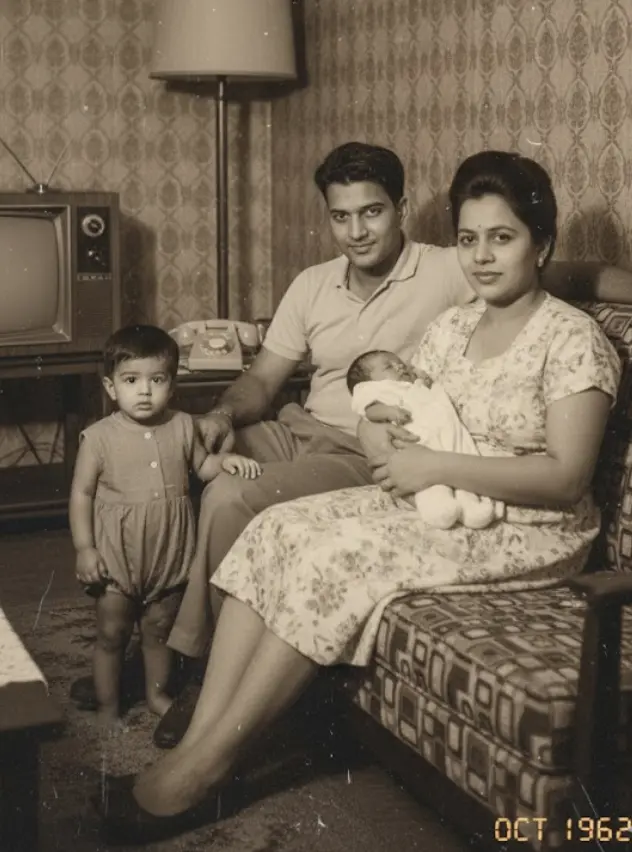
Blurry old portrait before AI sharpeningBefore
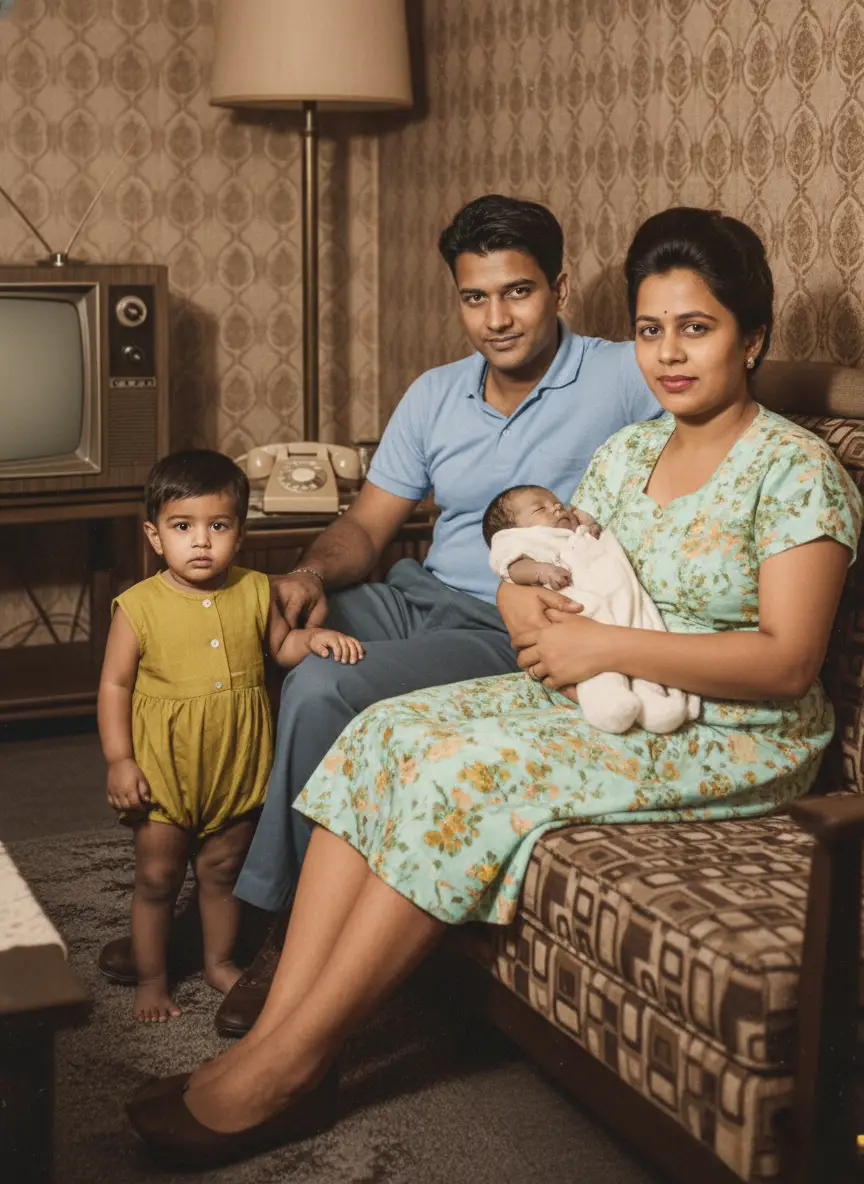
Clear old portrait after AI sharpeningAfter
// Showcase //

Every type of noise, perfectly cleaned.

From grainy night shots to noisy old digital photos, see how the AI cleans each kind of noise. Drag the slider to compare.
Restored - Low-Light Grain
Original - Low-Light Grain
Original
Restored
// Four simple steps //

How to unblur and sharpen old photos.

Unblur soft faces and remove heavy film noise with AI, then compare the reconstruction against your original.
  1. 01

    Upload Blurry or Noisy Photo

    Upload out-of-focus portraits, low-res scans, or noisy film prints.

    Supports wallet photos, small digital images, and vintage prints.

  2. 02

    AI Detects Facial Landmarks

    Our facial enhancement engine maps eyes, nose, mouth, and skin texture.

    Differentiates between natural facial features and camera motion blur.

  3. 03

    HD Details Reconstructed

    BringBack sharpens fuzzy facial details and removes heavy film grain.

    Upscales resolution up to 4x without synthetic artificial distortion.

  4. 04

    Compare & Download HD

    Review your unblurred photo side-by-side with the original before downloading.

    Print-ready high resolution perfect for large wall frames.

Watch a real run, start to finish.

Recorded on BringBack with a real photo and real credits. Nothing is staged. Only the wait is sped up, and the video says so while it happens.
bringback.pro/dashboard/restore
Cost
1 credit
Real wait
20s
Recorded
12 Nov 2026

Grain, noise and blur are cleaned up in the same Restore run.

Try it on your photo
// Clean the noise, keep the photograph //

Sharper where it matters. Subtle everywhere else.

Clean your photos without losing what matters: faces, textures and the character of the original.
01

Preserves fine details

Removes noise while keeping hair, fabric textures, and important details intact.

02

Handles any noise type

Color noise, luminance grain, and digital artifacts: the AI treats each kind differently.

03

Smart area detection

Applies stronger denoising to backgrounds while preserving detail in faces and subjects.

04

Color accuracy

Maintains original colors and tones while removing color noise and digital artifacts.

05

Edge preservation

Keeps edges and contours sharp while smoothing out unwanted grain.

06

Private by default

Generated media stays in your account until you delete it. See our Privacy Policy for processors and retention.

// Technology //

How our AI understands and removes noise.

Advanced signal processing meets machine learning to separate noise from actual image content.
01

Noise Pattern Analysis

Our AI first identifies the type of noise in your photo—whether it's high-ISO grain, color noise from low light, or digital artifacts from compression.

Luminance noise · Color noise · Compression artifacts · Banding
02

Content Preservation

While removing noise, the AI carefully preserves important details like hair texture, fabric patterns, and facial features that could be mistaken for noise.

Fine details · Textures · Sharp edges · Important patterns
03

Selective Processing

Different areas of your photo get different treatment—smooth backgrounds get heavy denoising while detailed areas like faces get gentle, precise cleaning.

Adaptive strength · Content-aware · Region-specific
04

Quality Verification

Before delivering results, our AI checks that no important details were lost and that the noise reduction looks natural and professional.

Natural results · Detail retention · Artifact-free
// Pricing //

Pay once. No monthly subscription.

Restoring a photo costs 1 credit, a family portrait 2, an animation 10. Credits never expire.

Restoration Starter

One-time payment

$4.99one-time

Low-risk way to restore a few important photos. Not enough credits for animation.

  • Up to 4 photo restorations
  • OR up to 2 studio family portraits
  • OR up to 2 add/remove person edits
  • Does not include animation
  • High-resolution master downloads
  • 30-day money-back guarantee

4 credits$1.25 each

Restores up to 4 photos. Credits never expire.

Start with restorations

Value Pack

Most Popular

$9.99one-time

Enough credits for restorations plus animation or family reunions.

  • Up to 20 photo restorations
  • OR up to 2 photo animations
  • OR up to 10 studio family portraits
  • OR up to 10 add/remove person edits
  • Full animation & reunion unlock
  • 30-day money-back guarantee

20 credits$0.50 each

Best value for photo restoration + realistic animation.

Bring memories to life

Family Pack

Best Value

$21.99one-time

For whole albums and multi-person projects.

  • Up to 60 photo restorations
  • OR up to 6 photo animations
  • OR up to 30 studio family portraits
  • OR up to 30 add/remove person edits
  • Lowest price per credit
  • 30-day money-back guarantee

60 credits$0.37 each

Best value for whole albums and multi-person projects.

Preserve family history
Not sure it will work on your photos? Watch it work first.

Before you buy: family portraits and Add Person work for up to 8 people in total. In bigger groups AI distorts faces, so they aren't a good fit for large group photos.

30-day money-back guarantee · Credits never expire · No subscription
// FAQ //

Questions about cleaning up noisy photos.

Noise, grain, blur, pricing, and privacy, answered plainly.

Upload the photo to the BringBack Restore workspace, let it clean the noise and soften the blur, then drag the before/after slider to compare. Download only if the faces and details look right to you.

  • Noise is random speckle, often colored, from low light or old digital sensors.
  • Film grain is the fine texture of analog film, more visible in fast film, enlargements, and scans.
  • Blur is lost sharpness from focus, motion, or low resolution. It is a different problem from noise, and it is harder to fix.

No. BringBack has one Restore tool that can fix noise and grain, blur, fading, scratches, tears, and missing color. This page is the starting point for noisy and grainy photos. If your photo also has other problems, the same tool can handle them in the same run, so you do not need to switch tools or pay for each fix separately.

Low-light grain, color noise, old digital camera noise, compression artifacts, and film grain. The showcase above shows a real before and after for each type, so you can judge the result on a photo similar to yours.

It is designed to keep skin texture, hair, fabric, and edges rather than blur everything flat. Heavy noise is still a tradeoff: the stronger the cleanup, the more texture can soften. Compare against the original and keep the version that looks natural to you.

Only partly. When facial detail is missing, damaged, or very low resolution, AI may reconstruct plausible features rather than recover the exact original face. Always compare the result to the original before sharing or printing.

Cleaning up a noisy photo costs 1 credit. The Restoration Starter is $4.99 one-time for 4 credits, with no subscription, and credits never expire.

Denoising reduces grain and noise but is not meant to restyle the photo. You can compare the result with your original before you download, and keep whichever you prefer.

We process uploads to deliver the feature you requested (restore, animate, reunite, etc.). Generated media is stored in your account so you can download it later; you can delete media anytime from My Media. Third-party processors (hosting, payments, AI inference) handle data only as needed to run the service. See our Privacy Policy for processors and retention details.

BringBack offers a 30-day money-back guarantee. See the Refund Policy for how to request a refund, and email support@bringback.pro if you need help.
// Start with one print //

Every photo in the shoebox can come back.

Restoring a photo costs 1 credit, credits never expire, and you see the result beside the original before you download.
  • A creased 1950s portrait of a couple, restored
  • A 1962 family photo at home, restored in colour
  • A faded family photo on a porch, restored