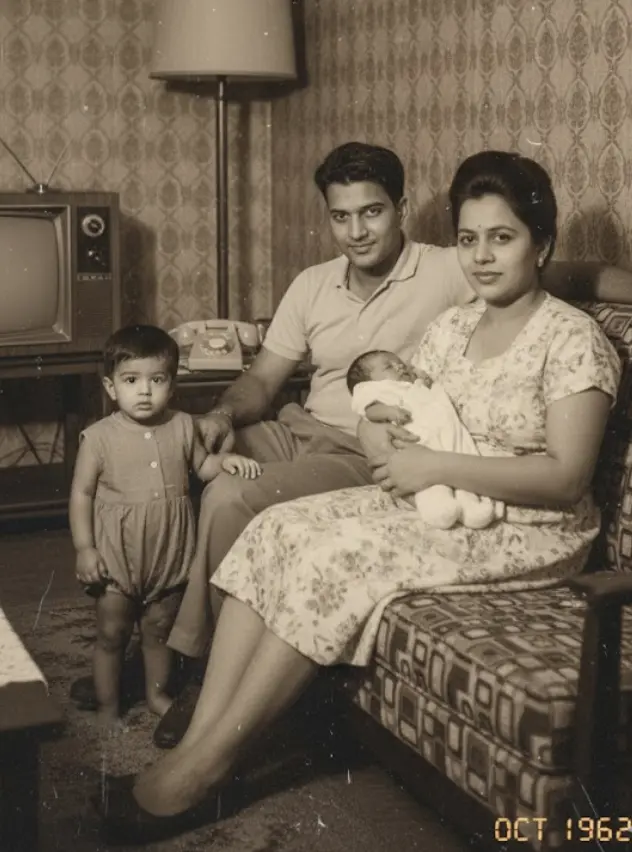
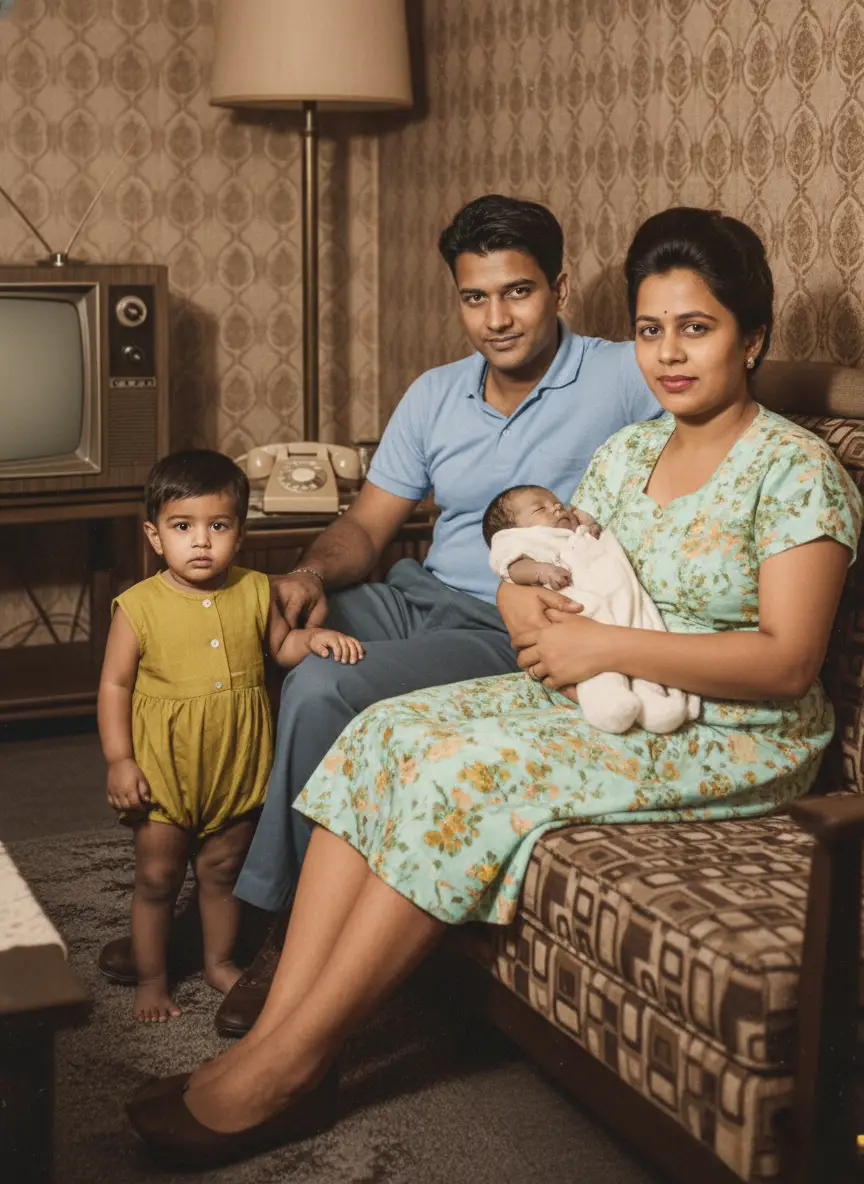
// AI photo colorization //

Bring black & white photos to life.

Transform your vintage black and white photos into stunning color images. Intelligent colorization, simple process, and a lifetime of colorful memories.
Photo restoration demo video
Colorized by BringBack AI
Optional colorize · not forced on restore

AI color is an interpretation, not historical proof. Prefer restore-only when black-and-white is the memory.

// Real results //

See the magic in every detail.

From family portraits to historical moments, see how our AI brings authentic color to every type of vintage photograph.
After: vintage family portrait colorized with bringback ai
Before: black and white damaged vintage family portrait
Original
Restored

Vintage Family Portraits

Brings warmth and life to old family photographs

After: historical wedding photo colorized with bringback ai
Before: black and white damaged historical wedding photo
Original
Restored

Historical Wedding Photos

Restores the joy of vintage weddings

After: old childhood photo colorized with bringback ai
Before: black and white old childhood photo
Original
Restored

Old Childhood Memories

Makes childhood photos feel fresh and alive

After: military photo colorized with bringback ai
Before: black and white damaged military photo
Original
Restored

Military & Service Photos

Honors service members with uniform colors

After: vintage street scene colorized with bringback ai
Before: black and white damaged vintage street scene
Original
Restored

Vintage Street Scenes

Brings historical moments and places to life

After: old school group photo colorized with bringback ai
Before: black and white old school group photo
Original
Restored

Old School & Group Photos

Makes class photos and group shots vibrant

// Four simple steps //

How to colorize black-and-white photos.

Bring vibrant, historically informed color to vintage black-and-white family prints, then inspect every detail before saving.
  1. 01

    Upload Black & White Photo

    Upload any black-and-white, sepia, or monochromatic vintage print.

    Supports scanned prints, faded negatives, and wallet photos.

  2. 02

    AI Analyzes Historical Context

    Our neural network detects skin tones, clothing fabrics, foliage, and sky.

    Uses era-accurate color spectrum mapping for authentic historical tones.

  3. 03

    Color Generated Instantly

    BringBack applies lifelike colors while retaining original contrast & shading.

    No oversaturated neon colors or unnatural skin blotches.

  4. 04

    Compare & Download HD

    Review your colorized photo side-by-side with the original before downloading.

    Download full print-ready HD resolution for family history books.

Watch a real run, start to finish.

Recorded on BringBack with a real photo and real credits. Nothing is staged. Only the wait is sped up, and the video says so while it happens.
bringback.pro/dashboard/restore
Cost
1 credit
Real wait
20s
Recorded
12 Nov 2026

Colour is one of the choices in Restore: pick “Add natural colour”, as in this run.

Try it on your photo
// Considered color, not a filter //

Color that fits the photograph. Control that stays with you.

Advanced AI meets art history to bring your vintage photos to life with authentic colors.

Natural Skin Tones

Accurately colorizes faces with realistic skin tones across all ethnicities and ages.

Historical Context Aware

Applies period-appropriate colors based on the era and style of your vintage photograph.

Smart Object Recognition

Identifies clothing, backgrounds, and objects to apply contextually accurate colors.

Vibrant Color Palette

Uses rich, natural colors that bring life to photos without looking artificial or oversaturated.

Detail Preservation

Maintains all original details, textures, and contrast while adding beautiful color.

Privacy Protection

Generated media stays in your account until you delete it. We do not use family photos to train general-purpose AI models.

// Quality & accuracy //

Understanding realistic colorization.

Understanding what makes AI colorization realistic and when it works best.

Image Quality Matters

Sharp, well-exposed photos with clear details produce the most realistic colorization. Blurry or very dark images may have less accurate color predictions.

Common Objects Work Best

The AI performs exceptionally well on familiar subjects like people, nature, buildings, and everyday objects that appear frequently in training data.

Context Helps Accuracy

Photos with clear context clues - like outdoor settings, recognizable clothing styles, or familiar objects - help the AI make more accurate color choices.

// Pricing //

Pay once. No monthly subscription.

Restoring a photo costs 1 credit, a family portrait 2, an animation 10. Credits never expire.

Restoration Starter

One-time payment

$4.99one-time

Low-risk way to restore a few important photos. Not enough credits for animation.

  • Up to 4 photo restorations
  • OR up to 2 studio family portraits
  • OR up to 2 add/remove person edits
  • Does not include animation
  • High-resolution master downloads
  • 30-day money-back guarantee

4 credits$1.25 each

Restores up to 4 photos. Credits never expire.

Start with restorations

Value Pack

Most Popular

$9.99one-time

Enough credits for restorations plus animation or family reunions.

  • Up to 20 photo restorations
  • OR up to 2 photo animations
  • OR up to 10 studio family portraits
  • OR up to 10 add/remove person edits
  • Full animation & reunion unlock
  • 30-day money-back guarantee

20 credits$0.50 each

Best value for photo restoration + realistic animation.

Bring memories to life

Family Pack

Best Value

$21.99one-time

For whole albums and multi-person projects.

  • Up to 60 photo restorations
  • OR up to 6 photo animations
  • OR up to 30 studio family portraits
  • OR up to 30 add/remove person edits
  • Lowest price per credit
  • 30-day money-back guarantee

60 credits$0.37 each

Best value for whole albums and multi-person projects.

Preserve family history
Not sure it will work on your photos? Watch it work first.

Before you buy: family portraits and Add Person work for up to 8 people in total. In bigger groups AI distorts faces, so they aren't a good fit for large group photos.

30-day money-back guarantee · Credits never expire · No subscription
// FAQ //

Questions about adding color to original photographs.

Color interpretation, source quality, pricing, and privacy—answered plainly.

Our AI analyzes the grayscale values, textures, and context in your black and white photo to predict realistic colors.

Yes! We analyze clothing styles, architectural elements, and cultural context to apply colors authentic to the time period.

We can colorize family portraits, wedding photos, military pictures, childhood photos, historical images, and vintage postcards.

We offer 4 high-quality photo colorizations for just $4.99 — no subscription required.

Not at all! We work with a copy of your photo, leaving the original black and white image completely unchanged.

We process uploads to deliver the feature you requested (restore, animate, reunite, etc.). Generated media is stored in your account so you can download it later; you can delete media anytime from My Media. Third-party processors (hosting, payments, AI inference) handle data only as needed to run the service. See our Privacy Policy for processors and retention details.
// Start with one print //

Every photo in the shoebox can come back.

Restoring a photo costs 1 credit, credits never expire, and you see the result beside the original before you download.
  • A creased 1950s portrait of a couple, restored
  • A 1962 family photo at home, restored in colour
  • A faded family photo on a porch, restored