Respectfully add a deceased loved one
to an existing family photo
Honor their memory by bringing them into a cherished moment. Upload your existing family or wedding photo and one clear solo reference portrait—our AI carefully harmonizes lighting, scale, perspective, and shadows.
Realistic Memorial Harmonization, Not a Cut-and-Paste Sticker
Seamlessly adding a late family member to an existing scene requires spatial calculation. Rather than a flat cutout, BringBack analyzes room geometry, ambient light, eye-lines, and contact shadows so they look naturally present.
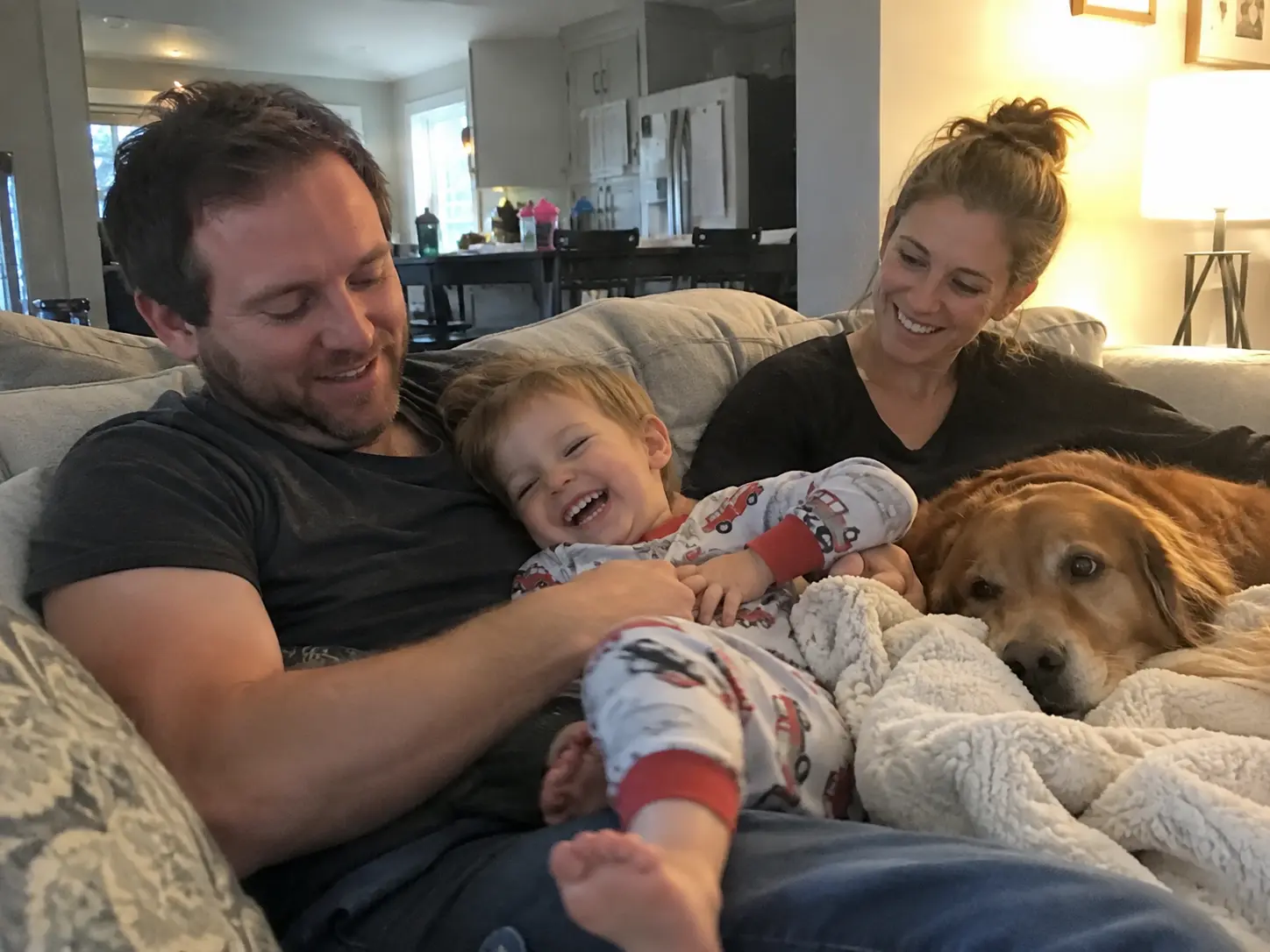
Base Family Photo
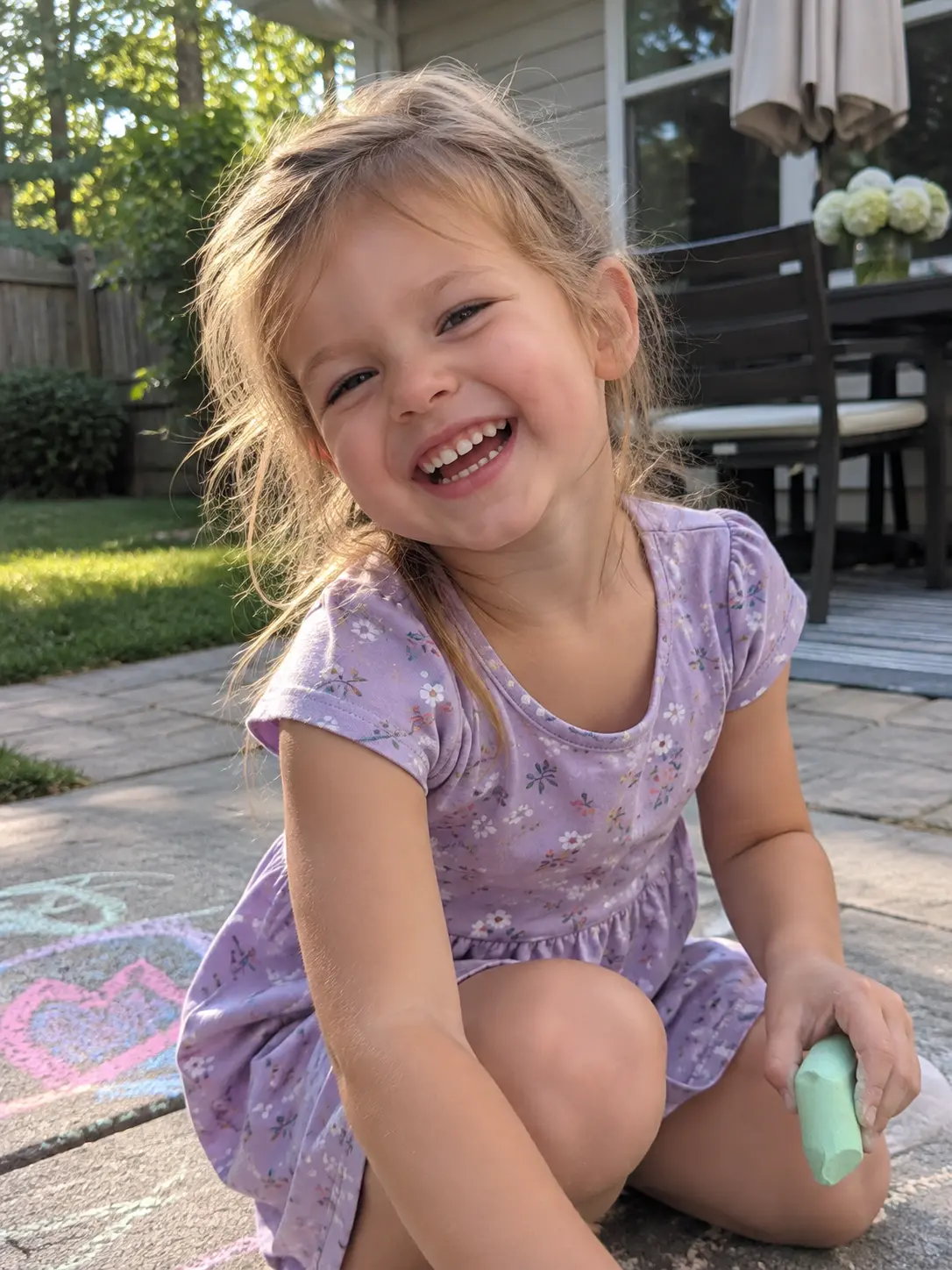
Solo Portrait
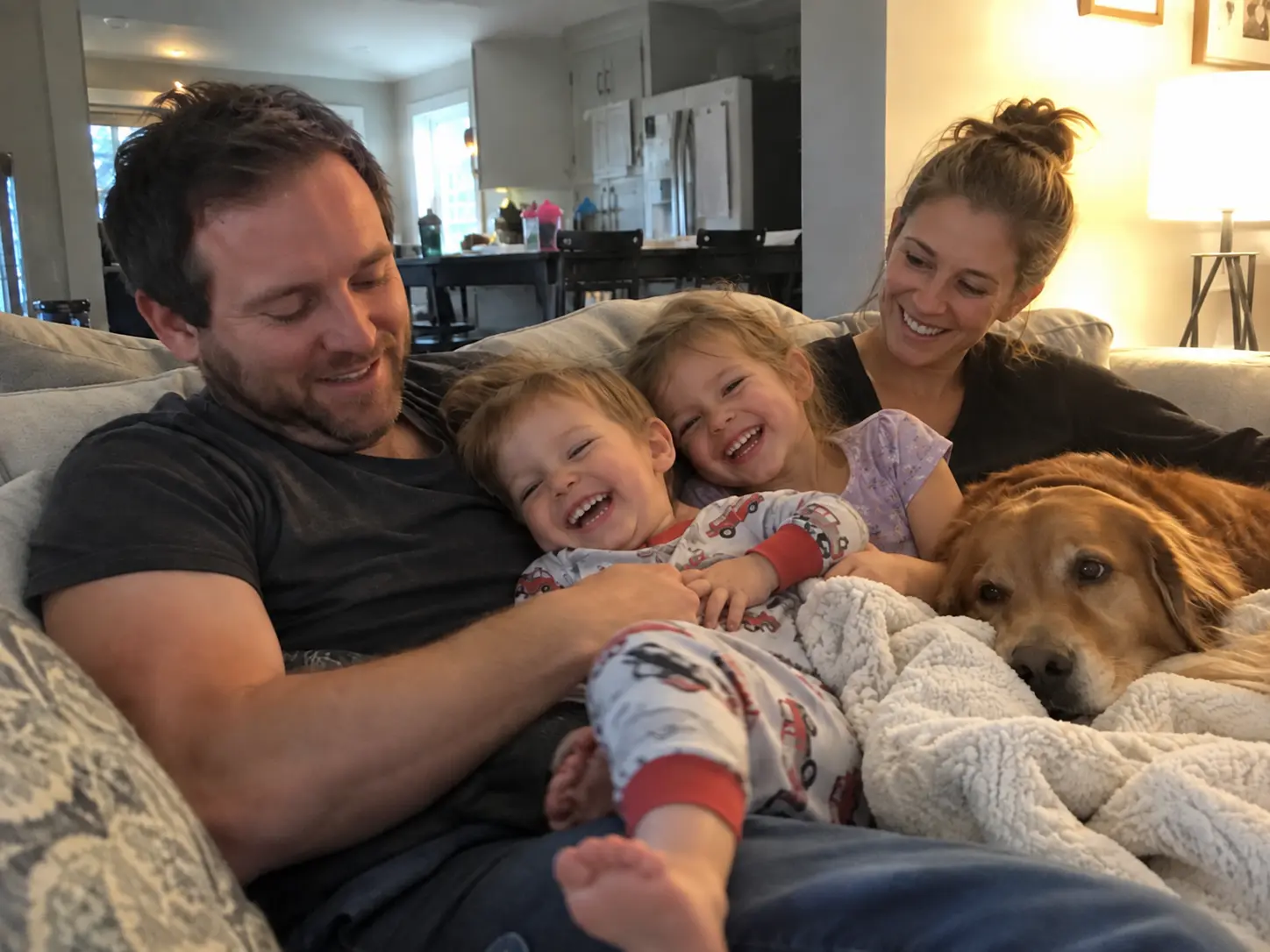
Harmonized Family Portrait
Directional Relighting & Ambient Warmth
Analyzes primary light direction (windows, lamps, outdoor sun) in your base scene and relights your loved one's face and clothing to match identical color temperature and shadow falloff.
Proportional Scale & Eye-Line Depth
Measures 3D spatial depth of the room and surrounding relatives. Sizes and angles the person so they sit or stand at true physical scale rather than appearing oversized or floating.
Natural Contact Shadows & Grounding
Generates realistic contact shadows beneath seating, onto sofa fabric, or across adjoining shoulders and floors, firmly rooting them in the physical environment.
Strict Facial Likeness Preservation
Protects natural facial geometry, bone structure, and characteristic smile from synthetic hallucination, ensuring immediate, emotional recognition by family members.
Source Photo Guidelines: Getting the Best Memorial Result
AI harmonization relies directly on the visual quality of your inputs. Following these photo selection principles prevents awkward results and delivers a natural portrait.
Recommended Photo Guidelines
Practices that yield natural, high-likeness portraits
Upload a clear, front-facing reference photo
Photos where eyes, facial structure, and smile are crisp and unobstructed yield the strongest, most authentic likeness.
Match posture and eye level where possible
If the base scene shows people sitting on a sofa, a seated or mid-torso reference photo integrates far more naturally than a standing full-body shot.
Restore damaged or faded photos first
If your only photo of your loved one is torn, faded, or in vintage black & white, run it through our Old Photo Restoration tool first before inserting it into a modern color photo.
Provide natural room in the base scene
Choose an existing group photo with open space—an empty chair, sofa cushion, or natural standing gap between relatives.
What to Avoid
Common photo traps that compromise the final result
Don't upload a group photo as the reference
The reference photo must feature exactly one person. If other people are present, crop the image tightly around your loved one before uploading.
Avoid sunglasses, heavy shadows, or strong filters
Accessories covering the eyes or intense social media beauty filters obscure facial landmarks and reduce likeness accuracy.
Don't use extreme conflicting camera angles
A reference portrait taken from a severe bird's-eye overhead angle will look disorienting when placed into an eye-level group shot.
Don't rely on tiny, pixelated crops
A 100-pixel crop enlarged from a distant party snapshot lacks sufficient facial detail for a high-definition, printable keepsake.
Honor Their Memory in 3 Simple Steps
Creating a memorial keepsake is sensitive work. We ensure a respectful, natural composite in just a few clicks.
Upload Existing Photo & Solo Portrait
Select your existing family or wedding photo as the base scene, and upload exactly one clear, solo reference photo of your loved one.
Position & AI Harmonization
Choose where they should be placed. Our AI harmonizes perspective, scale, lighting direction, and shadows to naturally integrate them.
Review & High-Res Download
Review the composite in your private dashboard. If you're happy with the likeness, download your high-resolution keepsake.
A Deeply Meaningful Tribute
Honoring a loved one is more than just editing a photo. It's about preserving their presence in your family's story.
A gift for the days that miss them most
Weddings, milestone anniversaries, and holidays are when an absence is felt hardest. A portrait with everyone together gives the family something to treasure.
Restore damaged photos first
If your only photo of a loved one is damaged, torn, or faded, run it through our Old Photo Restoration tool first. Starting with a clear face yields a far stronger likeness.
Dignified, Natural Results
We avoid the cut-and-paste look. The AI calculates realistic depth, contact shadows, and color tones for a respectful tribute.
Your Privacy is Non-Negotiable.
Generated media stays in your account until you delete it. We do not use your family photos to train general-purpose AI models.
You control media
Results remain available in My Media so you can download later. Delete anytime. Memory Book is stored only when you save a keepsake.
Secure processing
Uploads are transmitted over HTTPS and processed only to deliver the feature you request. See our Privacy Policy for processors.
No public model training
We do not use your private family photos to train general-purpose AI models for public release.
Pay once.
No subscription.
Exact credit costs: restore 1, family portrait / add person 2, animation 10, hug video 19. Starter cannot fund animation or hug.
Restoration Starter
Low-risk way to restore a few important photos. Not enough credits for animation or hug video.
Value Pack
Enough credits for restorations plus animation or family reunions.
Family Pack
For albums, multi-person projects, and the private Family Memory Book.
Common
Questions.
Everything you need to know about the product and billing.
Can I add a deceased loved one if their photo is black and white?
If your existing base photo is in color, we recommend restoring or colorizing the vintage black-and-white portrait first using our restoration tools for the best color match. If both photos are black and white, BringBack automatically harmonizes contrast, tones, and film grain.
Will it really look like them?
BringBack preserves facial structure from your reference photo, but compositing is an AI interpretation rather than an original photograph. Likeness is strongest from a clear, front-facing source. Compare the result carefully against your original in your private dashboard before printing or sharing.
What does it cost?
2 credits per run. Credits are bought once and never expire, and there is no subscription. You can regenerate if a likeness or placement needs adjustment.
What if the old photo is low quality or blurry?
We strongly recommend restoring damaged, scratched, or blurry photos first with our Old Photo Restoration tool. Providing a clear reference image gives the AI the best possible facial details to preserve identity.
How do I ensure the scale and placement look correct?
Our AI analyzes the depth and perspective of the existing scene to size the person proportionally. You can also specify placement instructions (such as standing next to the bride or seated on a sofa).
Can I add multiple deceased family members?
The Add Person tool accepts exactly one reference photo containing one person per run. To add multiple relatives to an existing photo, run the tool sequentially. If you want to create an entirely new group portrait from multiple separate pictures, use our AI Family Portrait tool instead.
Will the lighting match if the photos were taken decades apart?
Yes. The AI analyzes the direction and color temperature of the light in your base photo and adjusts the reference subject to match, adding realistic highlights and contact shadows.
Are my memorial photos kept private?
We process uploads to deliver the feature you requested (restore, animate, reunite, etc.). Generated media is stored in your account so you can download it later; you can delete media anytime from My Media. Family Memory Book content is stored only when you explicitly create a keepsake. Third-party processors (hosting, payments, AI inference) handle data only as needed to run the service. See our Privacy Policy for processors and retention details.
Looking to add someone who is not deceased?
If you simply want to add an absent relative, friend, or coworker who missed a group shot or wedding, head over to our main Add Person to Photo tool.