PixReunion alternative for realistic AI family portraits from separate photos
PixReunion combines individual photos into family portraits with multiple styles and support for larger groups. BringBack offers a related family-photo workflow with 2-credit studio portraits, restoration, add-person edits, and animation under one non-expiring credit balance.
Last updated August 12, 2026 · 14 min read · How we compare
On this page
Quick Verdict
Choose PixReunion if its style catalog, dual-model workflow, 4K output, or support for groups of up to 12 people fits your project. Choose BringBack if you want lower per-attempt credit use and connected restoration, add-person, and animation tools. Both products aim to create realistic family portraits, so compare their output on the same faces rather than relying on positioning alone.
Choose BringBack AI
for photoreal multi-person portraits, memorial composites, and multi-generation inputs with 2 credits per studio portrait.
Choose PixReunion
for broad style menus, dual-output generation marketing, and quick stylized family scenes.
How we compare honestly
Pay once
One-time credit packs (no forced subscription). Credits never expire.
Compare before download
Side-by-side view keeps the original and edit clearly distinguished.
Method, not invented stars
No fabricated ratings here. See restoration benchmark, methodology, and Trustpilot for third-party reviews.
Collage vs photograph: failure modes you can spot
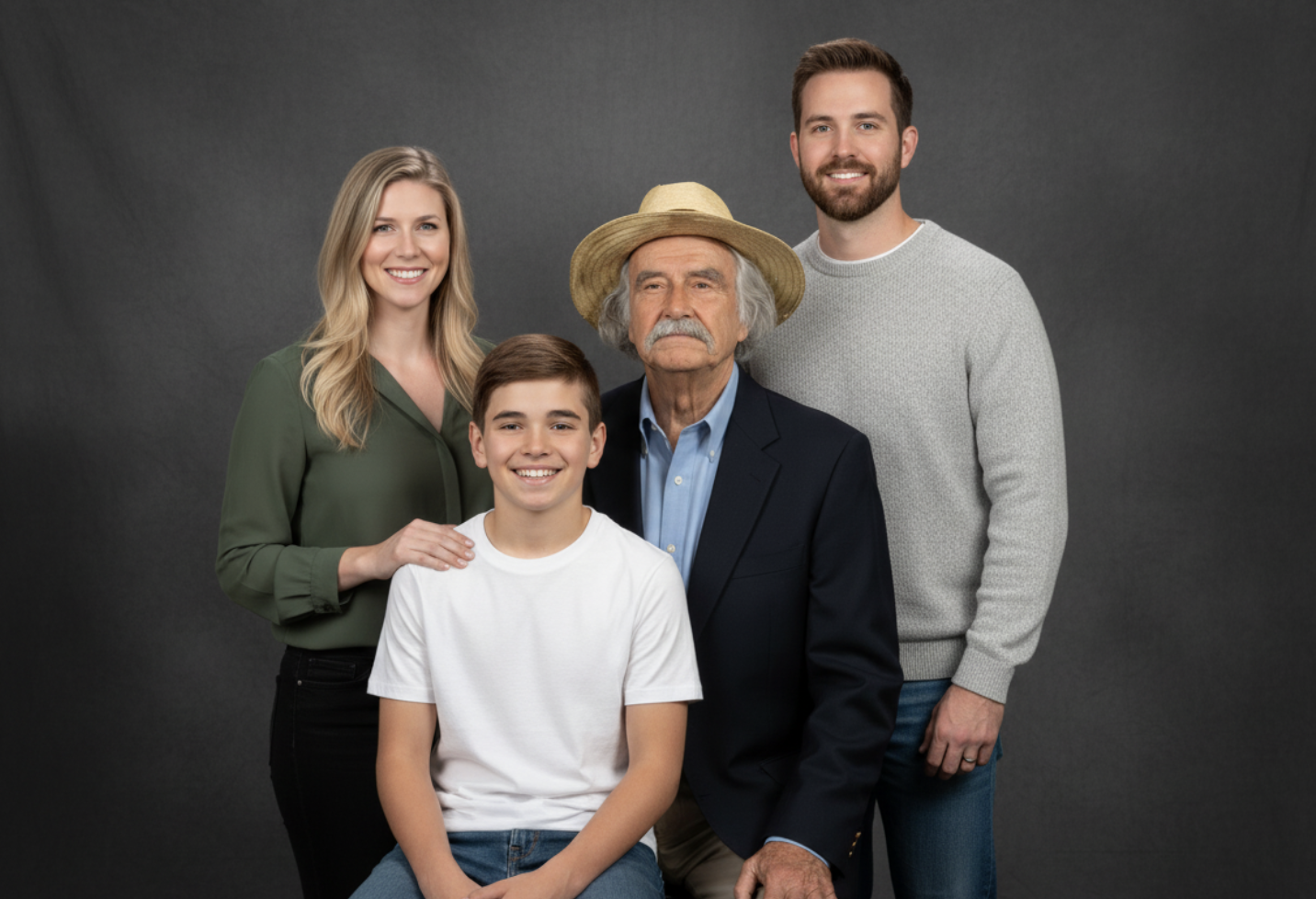
Merging separate photos is not “background removal plus paste.” A believable group portrait needs shared light direction, consistent white balance, plausible scale, and contact shadows where bodies meet the scene. When those fail, viewers feel “cut-and-paste” even if they cannot name the physics.
Typical failure modes: floating heads (no contact shadow), mixed noon-sun and tungsten skin on adjacent people, giant-head scale errors, hard matte edges in hair, and identity drift when the model redraws a face instead of preserving it. Artistic styles can hide some of these; print-on-canvas photoreal goals cannot.
BringBack’s family portrait and add person flows also aim to harmonize separate sources. Whichever product you use, inspect eyes, teeth, ears, glasses, scale, and shadows before printing. Our source-photo guide explains how angle, light, and face size affect the result.
What PixReunion publicly emphasizes
PixReunion’s marketing highlights multi-person family portraits from separate photos, many scene/style presets (including playful and painted looks), dual-model generation (photography-focused vs face-consistency messaging), and print-oriented resolution claims. Headcount marketing has cited up to roughly a dozen faces with a note that mid-size groups often look best—verify current limits in their product. Pricing is not always a simple public matrix; treat their checkout as source of truth.
Memorial and multi-generation workflow (restore first)
A memorial portrait may include someone who has passed away or relatives who were never photographed together. If a vintage source is scratched or soft, those defects can carry into the composition. Restore the heirloom still first with old photo restoration, then merge.
Multi-era groups (1950s black-and-white prints plus modern phone photos) need more than a style choice. Faces must remain recognizable after color and lighting are brought into one scene. Use clear sources and avoid heavy filters or covered facial features. See why AI changes faces before generating.
Choose the workflow by the final image: a new group portrait from separate photos, an add-person edit to an existing scene, or restoration of an old source before either kind of composition.
Credit economics for finished portraits
BringBack studio family portraits cost 2 credits each. Its public packs allow up to 2 portraits for $4.99, 10 for $9.99, or 30 for $21.99 (about $0.73 per attempt on the Family Pack). Credits do not expire.
PixReunion’s public pricing page currently lists $9.90 for 10 credits, with Family Portrait using 10 credits. Its homepage describes that purchase as two portrait outputs, and its credit packs do not expire. Confirm the output count at checkout because product terms can change.
PixReunion may be the better fit when you need its style library, two outputs per portrait run, 4K delivery, or a group size BringBack does not support. Compare total cost per acceptable result, including any regenerations.
About PixReunion
PixReunion is an AI family photo studio positioned around combining individual photos into group portraits. Public materials stress multi-person uploads, dual-model generation for quality vs face consistency, extensive style presets, and memorial / long-distance family use cases.
That makes PixReunion a direct competitor, not merely a style generator. The decision turns on output quality for your particular faces, group size, styles, price per acceptable result, and whether 30-day automatic deletion or user-controlled account storage better fits your needs.
Pros
- + Clear focus on family portrait generation
- + Broad style and scene catalog
- + Dual-output positioning for choice per generation
- + Memorial and long-distance family messaging
- + High headcount claims for large groups
Cons
- - Style-forward results can read less like documentary photos
- - Public per-credit economics can be harder to forecast than a fixed 2-credit portrait
- - Photoreal failure modes (light, scale, shadows) still require user vigilance
- - Not a full restore → animate family suite
Why people choose BringBack for merges
They want a lower-credit portrait attempt or a workflow that continues into restoration, add-person edits, and animation.
PixReunion remains attractive for larger groups, two-output generations, 4K delivery, and a broader style selection.
Photograph physics over collage
Relighting, scale, and contact shadows are the difference between gift-worthy and uncanny.
Restore damaged sources first
Multi-era memorials start with still repair—then merge—not the reverse.
Predictable 2-credit portraits
Studio family portrait = 2 credits. Plan regenerations with pack math ($4.99/4, $9.99/20, $21.99/60).
Connected family-photo tools
Add person, remove person, restore, animate—same account when the project grows.
In practice
Relatives never photographed together—memorial frame gift
Two siblings want a framed portrait with their late parent for a living-room wall. Sources: one soft 1970s print, two modern phone portraits, one child’s school photo. Success looks like a single studio session—not a scrapbook page.
Path on BringBack: scan safely → restore the 1970s print → check likeness on modern faces → generate studio portrait (2 credits) → regenerate if needed → print. Optional add person when editing an existing group. Leftover credits wait for the next holiday composite. If they instead want oil-paint or superhero styling, PixReunion’s style catalog may delight them more than our photoreal bias.
How to create a family portrait on BringBack
Inputs decide 80% of likeness. Spend time on sources before spending credits.
Gather clear face sources
Front-facing, well-lit, minimal obstruction. Restore vintage prints first if damaged.
Generate a studio portrait
Upload separate photos into AI family portrait. Review every face for identity.
Regenerate or download (2 credits)
Pay 2 credits per studio portrait download path as priced. Credits never expire for later tries.
BringBack AI vs PixReunion
Public family-portrait features and pricing reviewed in August 2026. Verify both products’ current limits and checkout terms.
| Feature | BringBack AI Our Pick | PixReunion |
|---|---|---|
| Primary job | Photoreal family portraits + restore + animate ecosystem | AI family portraits + many artistic styles |
| Realistic family portraits | Dedicated studio family-portrait workflow | Dedicated family-portrait workflow |
| Style / art presets | Studio-oriented scenes; less art-filter breadth | Large style gallery (holiday, art, playful) |
| Vintage + modern inputs | Restore-first workflow for damaged heirlooms | Supported in marketing |
| Portrait credit cost | 2 credits per studio portrait | 10 credits per run; site describes 2 outputs |
| Credits expire | Never | Never (current pricing page) |
| Add person to existing photo | Dedicated add-person flow (2 credits) | Product-dependent |
| Headcount marketing | Optimized for clear multi-person studio groups—quality over max N | Up to ~12 faces claimed on public pages |
| Published media retention | My Media until you delete | Uploads and outputs deleted after 30 days |
Don't let your family's history fade away.
Behind every damaged photo is a story waiting to be told again. Stop settling for tools that treat your ancestors like digital selfies. Bring them back with the respect they deserve.
What photoreal merging requires
Beyond pasting faces, BringBack targets:
Family suite around the portrait
Generators stop at a single image product. BringBack surrounds the portrait with archive tools.
Restore → merge → optional motion
Damaged stills become usable sources; finished portraits can move into animation when appropriate.
Likeness education, not just a generate button
Guides for source selection and identity drift reduce wasted credits.
Which one should you choose?
Pick BringBack AI if
- You need a photoreal portrait suitable for framing
- You are mixing vintage and modern sources
- You want restore-before-merge for damaged prints
- You want fixed 2-credit portrait pricing and permanent credits
- You may add a person to an existing photo or animate later
Pick PixReunion if
- You want a wide artistic/style preset menu
- You like dual-model outputs to pick from per run
- You need very large group headcounts they support
- A stylized look is more important than strict photorealism
- You already prefer their workflow and pricing
Final thoughts
PixReunion and BringBack both create family portraits from separate photos, including memorial and multi-generation projects. Neither service can guarantee perfect likeness from every source.
Choose PixReunion for its larger-group and style options, or BringBack for lower-credit attempts and the surrounding restoration and animation workflow. In either case, begin with clear source photos and inspect every face before printing.
How we compared BringBack to PixReunion
We reviewed PixReunion’s family portrait, pricing, and public privacy statements in August 2026. Those pages currently state support for up to 12 faces, 4K output, 10 credits per portrait run, non-expiring credits, and 30-day deletion of uploaded photos and outputs. Verify current terms before buying. See our methodology.
Photos are processed securely for the feature you request. Generated files stay in your account until you delete them. We do not use your family photos to train general-purpose AI models. See our Privacy Policy for processors and retention details.
One-time packs: Restoration Starter $4.99 / 4 credits, Value Pack $9.99 / 20 credits, Family Pack $21.99 / 60 credits. Restore = 1 credit; studio family portrait = 2 credits; animation = 10 credits. Credits never expire.
Last reviewed August 12, 2026. Pricing and competitor features change — verify on their site before buying. Editorial methodology · Restoration benchmark · Privacy Policy · Pricing
Frequently Asked Questions
Everything you need to know about switching from PixReunion to BringBack AI.
If you need photoreal, frame-ready group photos from separate images—especially multi-era or memorial—BringBack is built for that job. If you want maximum artistic styles, PixReunion may fit better.
The model harmonizes subjects into a shared scene. Still inspect shadows and skin temperature; regenerate if someone looks pasted.
Yes—with care. Restore and optionally colorize vintage sources first so quality matches modern selfies.
BringBack is tuned for clear multi-person studio groups. Extremely large crowds are harder for every AI tool; quality beats forced maximums. PixReunion markets higher headcounts—compare on your set.
2 credits per studio family portrait. Packs: $4.99/4, $9.99/20, $21.99/60. Credits never expire.
Yes—use a clear photo of them plus living relatives. Be emotionally prepared to regenerate for likeness. Add-person can place someone into an existing photo.
Generated media stays in My Media until you delete it. Temporary staging is cleaned after processing. We do not use family photos to train general-purpose AI models. See Privacy Policy.
No. One-time credit packs only.
Restore damaged or soft vintage stills first for best results. Do not expect merge alone to invent missing facial detail.
Download high-resolution stills for print labs; always preview at 100% for artifacts before ordering large canvas.
PixReunion’s style gallery may win for themed art. BringBack wins when you want a natural family photograph look.
See our guide: choose source photos for likeness—yaw/pitch, resolution, and obstruction rules before you spend credits.
More comparisons
Explore every BringBack alternative page.