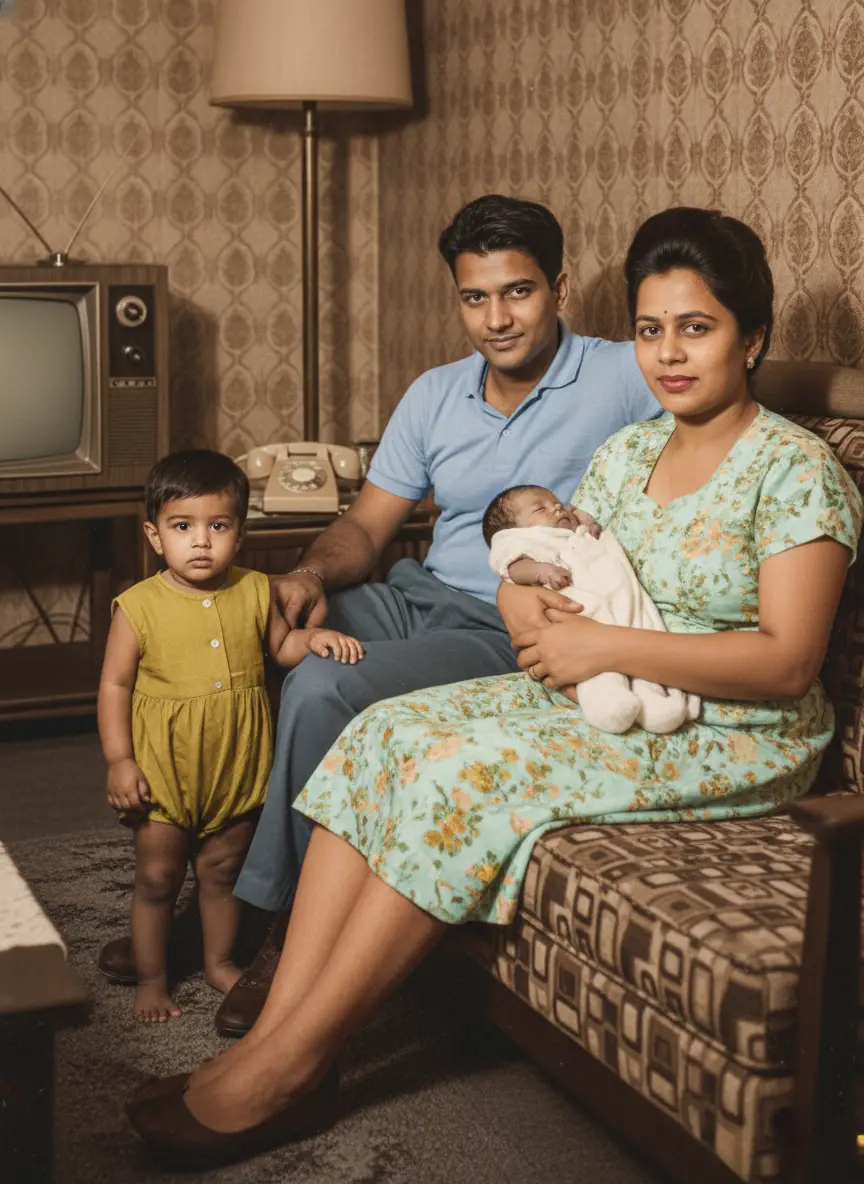
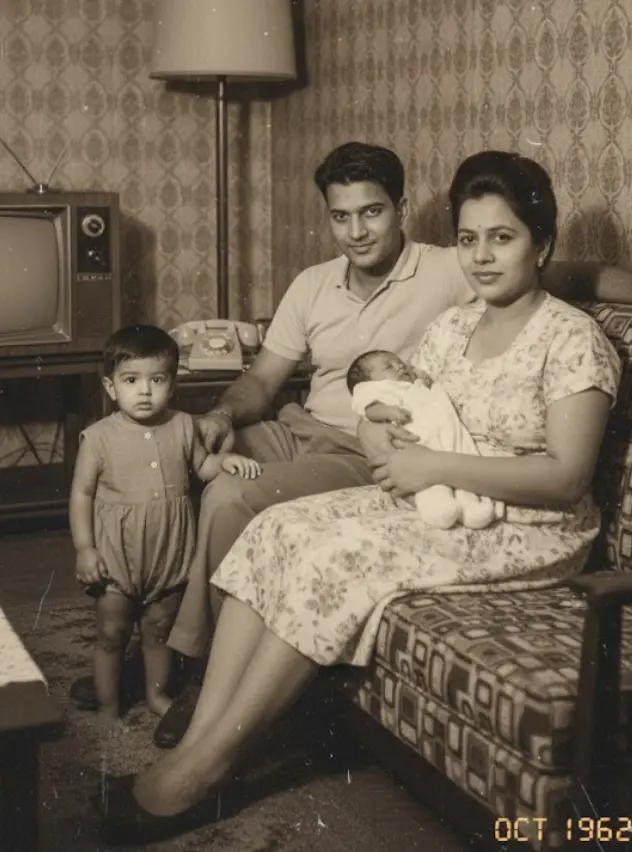
A black and white photo isn’t a memory. It’s an artifact. It keeps the past at a distance, safely behind a wall of historical grey.
You’ve felt it. You’re looking at a photo of your grandmother as a young woman, or your great-grandfather in his uniform. You see their face, their smile, their posture. But you can’t truly see their world.
What color was that dress? Was the sky a brilliant blue or a hazy grey that day?
The lack of color makes the moment feel like a historical document, not a living, breathing memory. It’s familiar, but it’s distant.
This isn’t just about aesthetics. This is about connection. Adding color to a black and white photo is about closing that emotional gap between your world and theirs. It’s about seeing your ancestors as they saw themselves, in a world just as vibrant and colorful as our own. It’s the difference between looking at a piece of history and feeling like you’re standing right there with them.
For decades, this kind of transformation was a secret reserved for Hollywood film restorers and museum archives. The process was painstaking, manual, and cost thousands of dollars per image.
That era is over.
Today, artificial intelligence can perform this magic in seconds. This guide is your new map. We’re going to pull back the curtain on how this technology works, show you what to realistically expect, and give you a simple, actionable workflow to colorize photos yourself.
How Does AI Photo Colorization Actually Work?
It feels like magic, but it’s really just incredibly smart technology. There’s no artist manually picking colors in the background.
Instead, the AI is like a history student who has been shown millions of photographs.
It has studied everything from old military uniforms and vintage cars to fashion from the 1950s and the specific shades of brick used in old cityscapes. By analyzing all this data, the algorithm learns patterns and makes a highly educated guess about the original colors in your black and white photo.
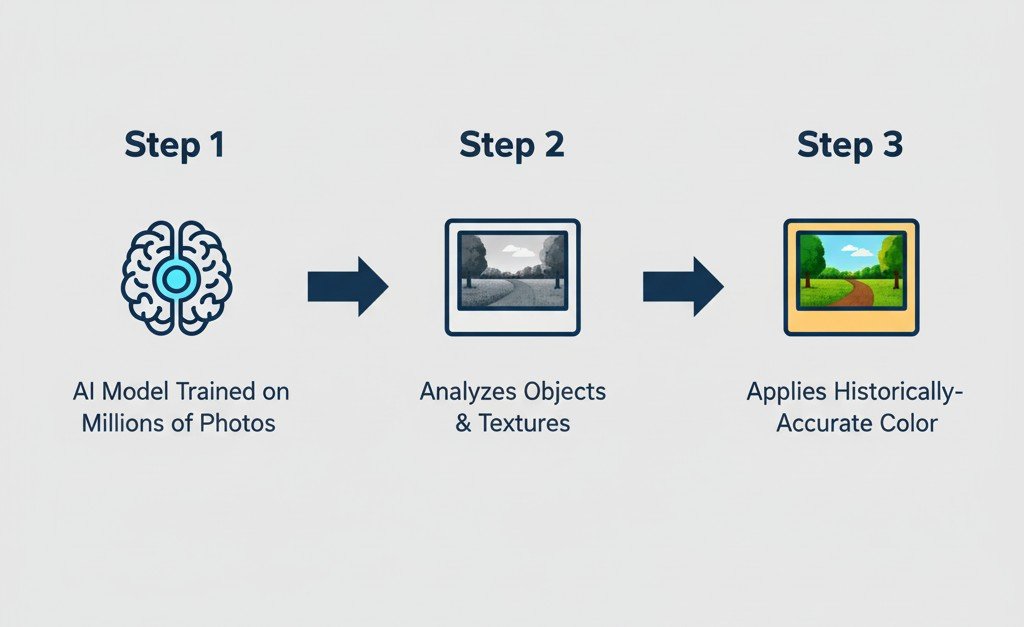
This is not color ‘painting’; it’s color ‘prediction’.
When you upload your photo, the AI photo enhancer identifies the objects in it—a cotton dress, a leather chair, a green lawn. Based on the shades of grey and its vast training data, it predicts the most probable original color and applies it, ensuring the texture and lighting of the original photo are perfectly preserved.
This is why modern photo colorization feels so realistic. The AI isn’t just splashing color on; it’s trying to reconstruct the reality of the moment the photo was taken.
How to Add Color to Black and White Photos (A Simple 3-Step Workflow)
You don’t need a design degree or expensive software to do this. The entire process, from a dusty old photo to a vibrant digital memory, can be done in just a few minutes.
This is the simple, practical workflow.
Step 1: Start with a Great Digital Copy
The quality of your final colorized photo is completely dependent on the quality of your initial scan. A blurry or low-resolution image will give the AI less information to work with, resulting in a muddy, less impressive result.
- Best Method: Use a dedicated flatbed scanner if you have one, scanning at a resolution of at least 600 DPI.
- Great (and Free) Method: Use a modern scanning app on your smartphone. An app like Google Photoscan is fantastic because it helps you avoid glare and create a flat, high-quality digital image.
Pro Tip: Before you scan, gently wipe the physical photo with a clean, dry microfiber cloth to remove any dust. Every speck you remove now is one less thing the AI has to guess about.
Step 2: Upload to a Dedicated Colorization Tool
This is where the magic happens. You need to use a tool that is specifically trained for this task.
This is where BringBack.pro comes in. Our tool isn’t a generic photo editor; its AI model has been specifically trained on hundreds of thousands of historical photos to produce accurate and realistic colors.

Simply drag and drop your high-quality scan into the uploader. The AI will immediately analyze the image.
Step 3: Download, Admire, and Share
Within seconds, the process is complete.

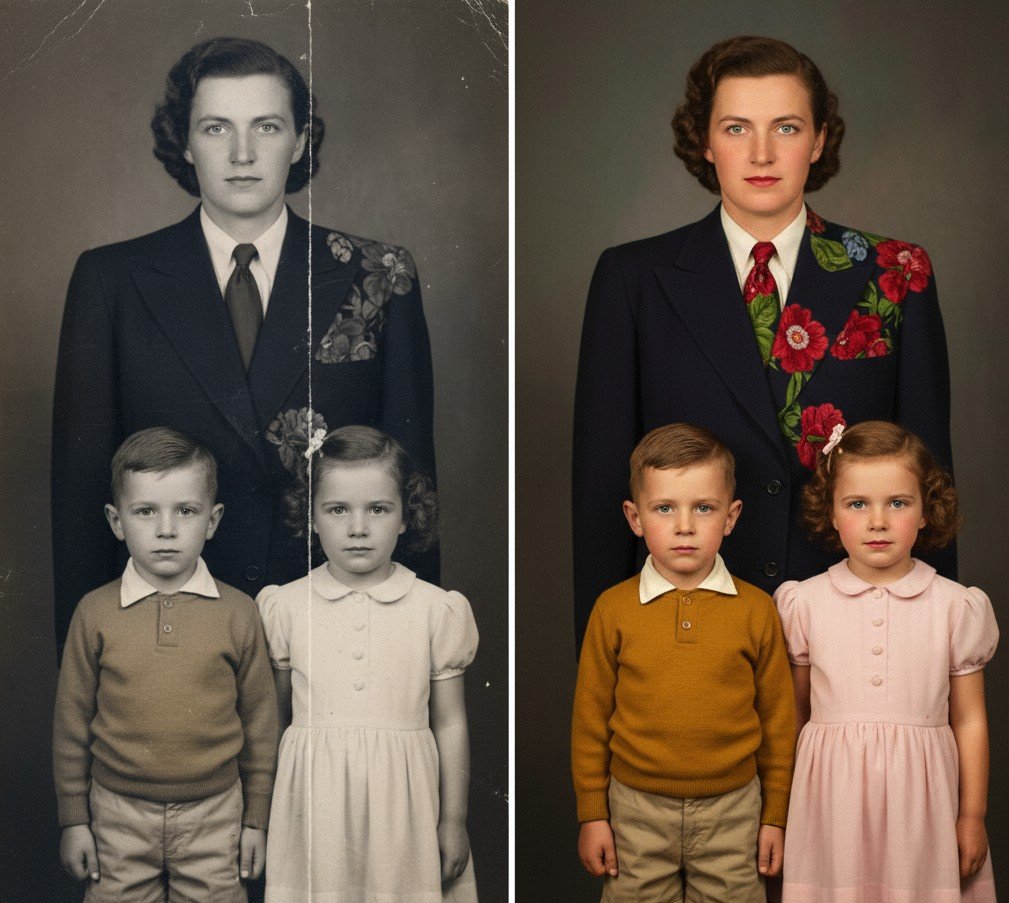
The AI will present the newly colorized version. You can compare it side-by-side with the original and see the transformation. The final step is to download your new, full-color photo.
What was once a distant, grey artifact is now a vibrant memory, ready to be shared with your family, framed on your wall, or used in a creative project.
Getting Realistic Photo Colorization: 3 Tips for the Best Results
The goal isn’t just to add color; it’s to add believable color. Anyone can be wowed by a demo, but you want a result you’re proud to frame and share.
Here are three honest, practical tips to ensure you get the most realistic photo colorization possible.
Tip 1: High Resolution is Everything
This is the one rule that cannot be bent. A high-quality, high-resolution scan provides more detail for the AI to analyze.
More detail means the AI can make better decisions. It can distinguish between the texture of a wool suit and a silk dress, or the difference between tree bark and a brick wall. These details are what allow it to apply color with nuance and realism.
A blurry, low-resolution source image will always result in a flat, “painted-on” look.
Tip 2: Understand the AI’s Limitations
Let’s be real: AI is a brilliant artist, not a psychic. It makes incredibly educated guesses, but they are still guesses.
If your great-aunt’s dress was a specific, unusual shade of teal, the AI may not get it exactly right. It might make it a more common blue or green from that era because it’s working with probabilities.
Accepting this is key to appreciating the magic. The goal is to capture the feeling and spirit of the moment, not to create a 100% historically perfect document.
Tip 3: Use a Specialized Tool, Not a “Free” Filter
You’ve probably seen those “colorize for free” apps that pop up in ads. While tempting, there’s a huge difference in quality.
Many free tools use older, less sophisticated AI models. They often produce flat, oversaturated colors that make the photo look cartoonish.
When you’re dealing with important family photos, you want a result that honors the memory. A dedicated, modern tool like BringBack.pro is worth it. Our AI is specifically trained on historical photos to understand the nuances of old film and produce the rich, subtle, and realistic tones that make a photo feel authentic.
Beyond Color: Using AI to Truly Bring Old Photos to Life
Adding color is a giant leap in closing the distance between you and the past. But what if you could take one more step? What if you could see them move?
This is where the next evolution of this technology comes in. Color makes a photo feel real. Animation makes it feel alive.
Once your photo has been beautifully colorized, you can use a “bring old photos to life app” function to take the final, breathtaking step.
An AI tool to animate old pictures analyzes the restored portrait and creates a short, live-action sequence of the person’s face. It’s a feature designed to create a powerful, emotional “wow” moment.
Seeing a stoic-looking ancestor from a black and white photo suddenly give a warm, gentle smile in full color is an experience that truly connects you to them as a person.
It’s the perfect final touch for a family reunion video or a social media post sharing your family’s history. It transforms a historical document into a living memory.
See Your History in a New Light
For generations, our family histories have been trapped in shades of grey, kept at a distance by the limitations of old technology. We could see the faces of our ancestors, but we couldn’t truly see their world.
That barrier is now gone.
AI photo colorization isn’t just a technical trick; it’s a new bridge to the past. It’s a tool that allows us to see our family, our history, and ourselves in a completely new light. The process is no longer a complex, expensive luxury for museums. It is an accessible, instant, and personal journey that anyone can take.
You are no longer just a keeper of old photos. You are the curator of your family’s story. You have the power to dust off the artifacts, restore the vibrancy, and change how your family sees its own history.
Your memories are too important to leave in a box. The true colors of your past are waiting for you.
Upload a black and white photo to BringBack.pro and see the transformation for yourself.