Join old photos
into one real portrait
Upload a separate photo of each person and get back a single portrait that looks like one sitting — matched lighting, consistent scale, shared background. Not a side-by-side collage.
Always compare the result to your original. AI may reconstruct missing detail rather than recover it.
Joined into one scene, not pasted side by side
The hard part is not putting two photos next to each other. It is making them look like they were taken at the same moment.
One shared light source
Two photos taken decades apart almost never match. Faces are relit to a single direction and colour temperature, which is what stops a joined portrait from reading as a cut-and-paste job.
Consistent scale and eye line
People are resized against each other and placed on a common eye line, so nobody is floating, oversized, or standing at the wrong depth in the frame.
Works from imperfect originals
Most old photos are faded, soft, or damaged. Restoration runs as part of the same workflow, so you are not joining a sharp modern photo to a blurred 1950s print.
Review before you keep it
Every result is shown against your originals. AI reconstructs detail it cannot recover, so likeness is something you check rather than assume — especially on a face you know well.
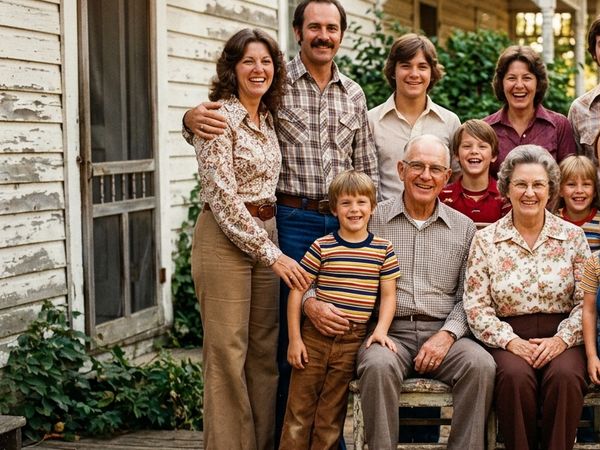
Photo 1
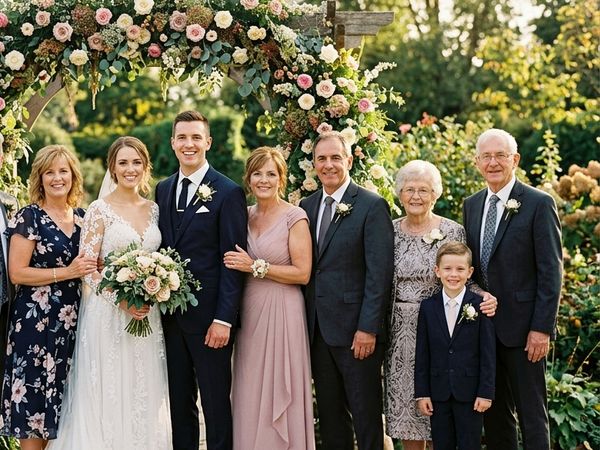
Photo 2
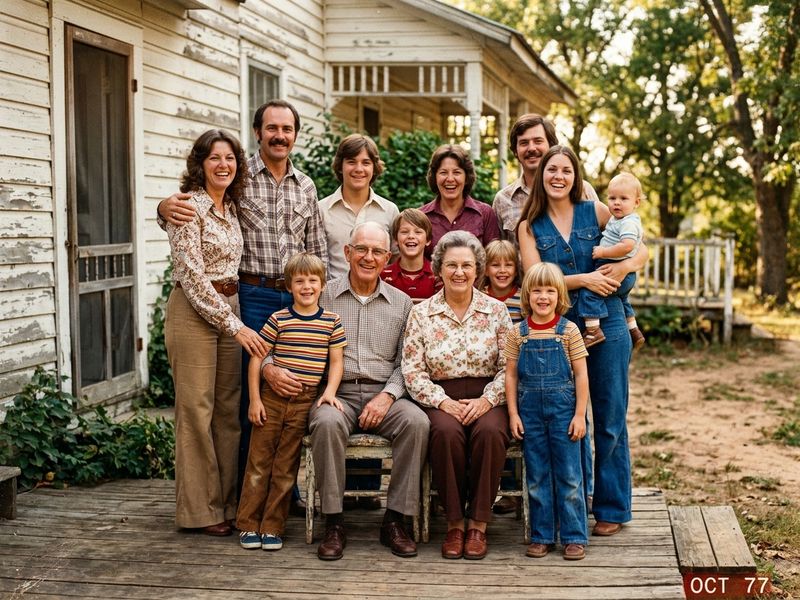
Joined Portrait
How to join old photos into one picture
Three steps. Around a minute.
Upload one photo per person
A separate picture of each person, up to eight. Front-facing and clearly lit works best — a good phone photo of a print beats a dark high-resolution scan.
Pick the scene
Choose the setting, era and clothing style you want everyone placed into. This is what the faces get matched to.
Compare, then download
Check each face against the photo you uploaded before you keep it. Regenerate if a likeness is off — it costs 2 credits per portrait, and credits never expire.
What people join photos for
Almost always a portrait that was never possible to take.
Relatives who never met
A grandparent who died before the grandchildren were born, placed in one portrait with them.
Family scattered across countries
Everyone in one frame without booking a flight or a studio for a reunion that keeps getting postponed.
Someone missing from the day
A parent absent from a wedding or graduation photo, joined into the picture that should have had them in it.
Your Privacy is
Non-Negotiable.
Generated media stays in your account until you delete it. We do not use your family photos to train general-purpose AI models.
You control media
Results remain available in My Media so you can download later. Delete anytime. Memory Book is stored only when you save a keepsake.
Secure processing
Uploads are transmitted over HTTPS and processed only to deliver the feature you request. See our Privacy Policy for processors.
No public model training
We do not use your private family photos to train general-purpose AI models for public release.
Pay once.
No subscription.
Exact credit costs: restore 1, family portrait / add person 2, animation 10, hug video 19. Starter cannot fund animation or hug.
Restoration Starter
Low-risk way to restore a few important photos. Not enough credits for animation or hug video.
Value Pack
Enough credits for restorations plus animation or family reunions.
Family Pack
For albums, multi-person projects, and the private Family Memory Book.
Common
Questions.
Everything you need to know about the product and billing.
Is this a collage maker or a panorama stitcher?
Neither. This joins people from separate photos into one shared scene, so the result looks like a single photograph rather than several images placed next to each other. If you want a side-by-side grid, a panorama, or a photo strip with borders, a standard collage or panorama app is the right tool — this is not that.
Can I join old photos with recent ones?
Yes, and it is the most common use. A 1950s print and a phone photo taken last week get brought to the same sharpness, grain and colour temperature so they sit together naturally in one portrait.
How many photos can I join at once?
Up to eight people, one photo per person. Fewer people generally gives a stronger likeness on each face, so for a large group it is worth reviewing the result carefully.
What makes a good source photo?
A clear, front-facing, well-lit face. Sunglasses, heavy shadow across the face, extreme angles, and very low resolution all reduce likeness. The face matters far more than the file size.
Will it actually look like the real person?
It reconstructs each face from the photo you provide, so it is an interpretation rather than a photograph. Likeness is usually strong from a clear source and weaker from a damaged or angled one. Always compare against your original before sharing it, particularly for a memorial portrait.
What does it cost?
2 credits per portrait. Credits are bought once and never expire — there is no subscription. There is no free tier because each generation is compute-intensive.
What happens to my photos?
Uploads are processed to produce your portrait and results stay in your account until you delete them. We do not use your family photos to train general-purpose AI models.