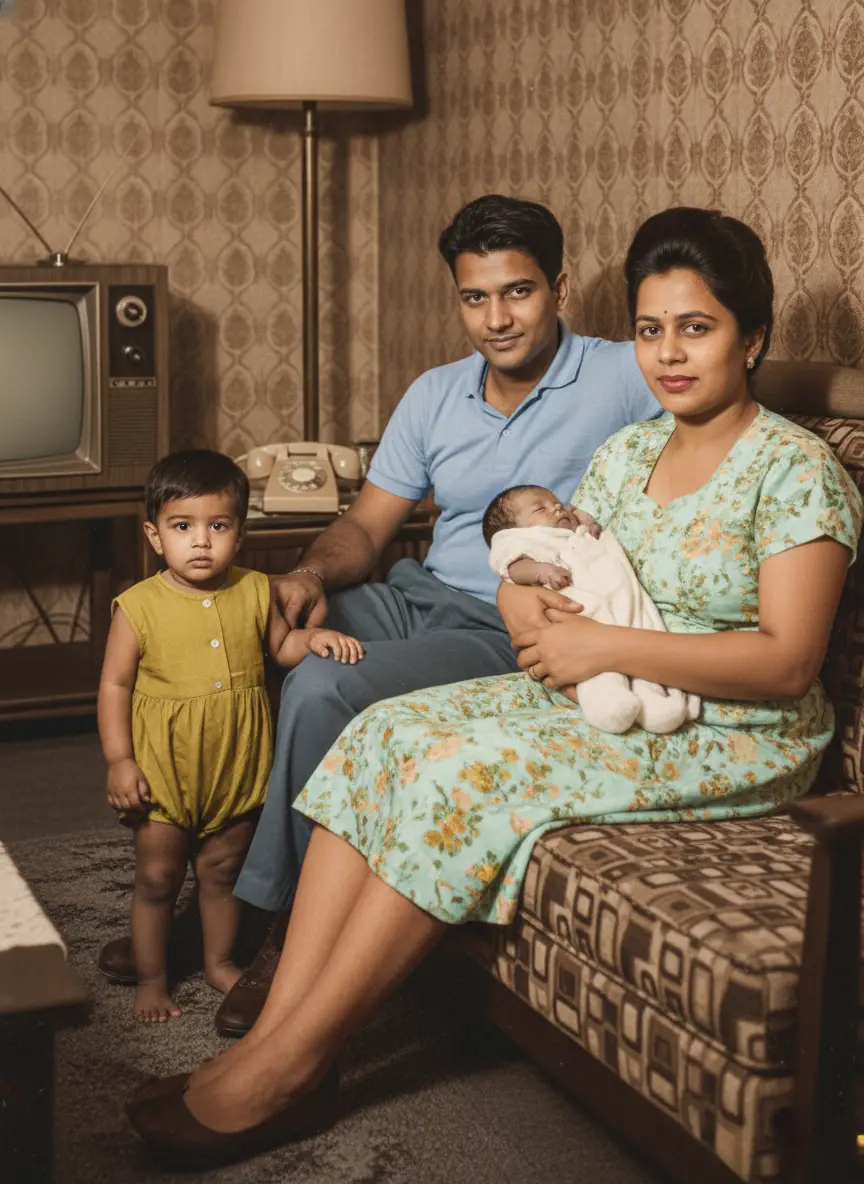
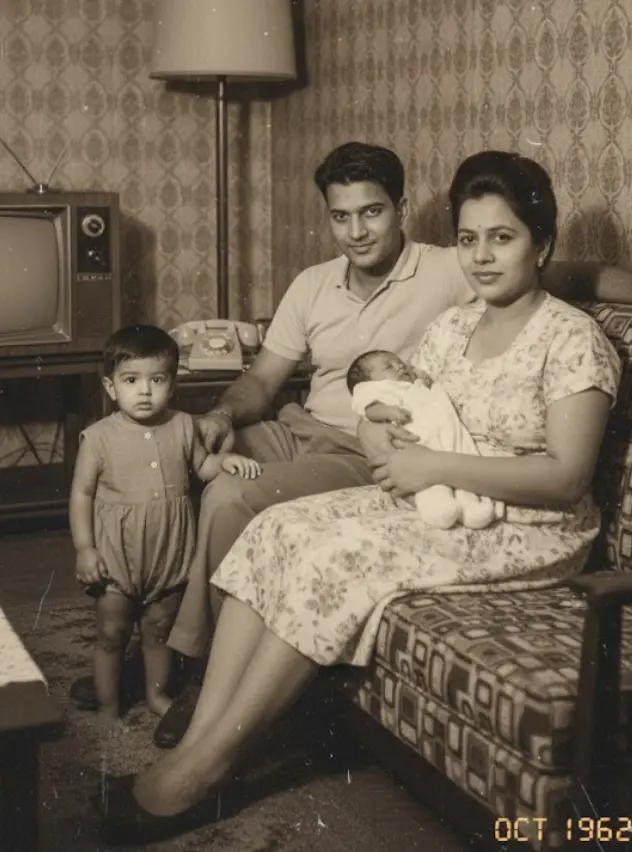
You know the feeling.
You pull out that old shoebox, filled with generations of memories.
And there they are: faded smiles, crumbling edges, tears, and water damage that tell their own sad story.
You stare at them, a knot in your stomach, wishing you could bring them back to life.
You’ve probably even tried a quick fix yourself. You dove into some photo editing software, only to emerge hours later, frustrated and defeated.
It feels like a massive, overwhelming project, right? You tell yourself it’s either too complicated for DIY, or professional services are just too expensive.
But what if preserving your family’s legacy didn’t have to be a headache or break the bank?
The real struggle isn’t the damage itself. It’s knowing whether to tackle it yourself or trust a pro. We get it.
That’s why we’re here to give you the no-fluff, honest truth about both options. We’ll lay out exactly when DIY makes sense and when bringing in the experts is the only way to go.
We even built our tool, BringBack, to make that choice easier and ensure your memories get the care they deserve. This isn’t about pushing one over the other; it’s about empowering you to make the best decision for your treasured photos.
Understanding Photo Damage: What Can Actually Be Fixed?
Before you decide “DIY or Pro,” you need to know what you’re up against.
Let’s break down the most common culprits that attack your precious memories:
- Scratches: These surface-level annoyances are usually the easiest to tackle.
- Tears: Ranging from small rips to significant missing chunks, tears demand more finesse.
- Fading: Colors bleed out over time, leaving photos washed out and lifeless.
- Water Damage: Warping, discoloration, and staining are the ugly results of water exposure.
- Mold: A particularly nasty issue, mold literally eats away at the photo’s emulsion.
DIY: When to Roll Up Your Sleeves
Got a few scratches or minor fading? DIY might be your answer.
Photo editing software, like Adobe Photoshop, can work wonders. You can often achieve impressive results with patience and a good tutorial.
But proceed with caution.
Calling in the Pros: When It’s a Must
Are you dealing with extensive water damage, major tears, or mold?
It’s time to call a professional.
These severe issues require specialized skills and software to truly restore the image. Professional restoration services employ experienced digital artists who manually repair each photo. They use non-destructive processes with complex layering and masking techniques, ensuring the original photo’s integrity is preserved.
DIY has its limits. If you’re not careful, you risk causing more damage or losing precious detail forever.
We’ve seen it all here at BringBack. Photos that were “fixed” with the wrong techniques, making the problem ten times worse.
That’s why we always recommend a professional for anything beyond basic touch-ups.
Your DIY Photo Restoration Guide (If You Dare)
If you’re still determined to give it a shot yourself, here’s a basic guide. We’ll walk you through the process, from digitizing your photos to the first restoration steps.
Step 1: Digitize Your Photo
First, you need a high-quality digital version of your photo.
- Scanning: Use a flatbed scanner for the best quality. Set it to a high resolution (at least 600 DPI).
- Smartphone: If you don’t have a scanner, a smartphone can work in a pinch. Just ensure you have bright, even lighting and hold the camera perfectly steady and parallel to the photo.
Step 2: Choose Your Weapon (Software)
Next, import your digital photo into editing software.
- Adobe Photoshop: The professional-grade industry standard.
- GIMP: A powerful and completely free alternative.
- Online Editors: Many web-based editors offer basic tools for quick fixes.
Step 3: Correct the Color
Old photos often have faded or bizarrely skewed colors.
- Adjust Levels: Use the “Levels” tool to correct the overall brightness and contrast.
- Adjust Color Balance: Fine-tune the color sliders (Cyan/Red, Magenta/Green, Yellow/Blue) to bring back natural hues.
- Experiment: Don’t be afraid to play with different settings, but make small adjustments.
Step 4: Remove Scratches
Scratches are common, but they can often be fixed.
- Healing Brush Tool: Use this tool to sample nearby pixels and paint over the scratches.
- Clone Stamp Tool: The clone stamp is also effective for larger scratches or blemishes.
- Be Precise: Work carefully and zoom in to avoid blurring important details like eyes or text.
Step 5: Repair Tears
Tears require more advanced skills and a lot of patience.
- Patch Tool: The patch tool lets you select a clean area to copy over the damaged section.
- Content-Aware Fill: Photoshop’s Content-Aware Fill can sometimes magically fill in missing areas.
- Patience is Key: This is not a quick fix. Tear repair can be extremely time-consuming.
Step 6: Enhance the Details
Finally, you can sharpen the image to bring out crisp details.
- Unsharp Mask Filter: Use this filter sparingly. Too much will create ugly digital “artifacts.”
- Adjust Clarity: Increasing clarity can enhance textures and details without over-sharpening.
- Zoom In: Always check your work at 100% zoom to spot any unwanted effects.
A Word of Caution
DIY photo restoration can be rewarding.
But it can also be frustrating and incredibly time-consuming. If you’re not careful, you could easily make the damage worse.
Companies like Forever Studios and Pixels Photo Art have years of experience and have restored thousands of images. They have the skills and tools to handle even the most challenging cases.
An Easier Alternative: BringBack
We built BringBack to simplify photo restoration for everyone.
- AI-Powered: Our tool uses AI to automatically fix many common issues in seconds.
- User-Friendly: No technical skills are required. Just upload your photo.
- Fast Results: See your restored photos in minutes, not hours.
Our tool offers a powerful balance between DIY and professional services. It’s the perfect option if you want to restore your photos quickly and easily, without a steep learning curve.
DIY Software Options: Beyond Photoshop
Photoshop is the industry standard, but it’s not the only game in town. If you want more manual control than an AI tool, here are some other options.
GIMP: A free and open-source image editor.
- Pros: It offers many of the same features as Photoshop, at no cost.
- Cons: The interface can be clunky and has a steeper learning curve.
- Cost: Free
Fotor: A user-friendly photo editor with a range of tools.
- Pros: Easier to use than Photoshop or GIMP. Offers one-click enhancements.
- Cons: The free version is limited. Advanced features require a subscription.
- Cost: Free, with paid upgrades. Subscriptions start around $8.99/month.
Photopea: A free online photo editor that works in your browser.
- Pros: No software installation required. It supports many file formats.
- Cons: Can be slower than desktop software and requires an internet connection.
- Cost: Free (with ads)
- BringBack: Our AI-powered photo restoration tool.
- Pros: Dramatically simplifies the restoration process using AI. Extremely user-friendly with fast results.
- Cons: Lacks the granular manual controls of traditional software. Best for users who prioritize speed and ease of use.
- Cost: Starts with a free trial, with subscription options available.
The best option depends on your skill level and budget. If you’re a tech-savvy artist, GIMP or Photoshop are powerful choices. If you just want it done, Fotor or BringBack are a better fit.
Professional Photo Restoration: What to Expect
If the damage is severe or the photo is simply too important to risk, it’s time to call a pro.
Professional services offer a comprehensive, hands-off approach. They handle everything from start to finish. You just provide your damaged photo and receive a beautifully restored image.
The process typically involves these steps:
- Consultation: You describe the damage and what you want fixed.
- Digitizing: You’ll mail the physical photo or upload a high-quality scan.
- Restoration: An experienced digital artist gets to work, manually repairing your photo pixel by pixel.
- Review & Delivery: You get a proof to approve before they send the final digital file and any prints.
Professionals use non-destructive editing techniques. They preserve every detail of the original photo while performing complex repairs.
Services are often broken into tiers:
- Basic Restoration: Fixes minor issues like light scratches and fading.
- Advanced Restoration: Tackles more significant damage, such as tears and water spots.
- Difficult Restoration: Handles severe issues like missing pieces or heavy mold.
Turnaround times vary, but you can often expect a proof within a few business days.
Companies like Pixels Photo Art have over 15 years of experience restoring historical images. Forever Studios has been a leader in high-quality restorations since 2011.
Keep in mind that professional photo restoration can be expensive. The cost reflects the incredible expertise and time involved. For severely damaged or irreplaceable photos, the results are almost always worth the investment.
DIY vs. Professional: The Ultimate Showdown
Choosing between DIY and pro services comes down to your priorities. You need to weigh your budget, the time you can invest, and the quality you expect.
This table breaks down the pros and cons of each approach:
| Feature | DIY Photo Restoration | Professional Photo Restoration |
|---|---|---|
| Cost | Lower initial cost; software can be a one-time purchase or subscription. | Higher cost, based on the severity of the damage. |
| Time | Extremely time-consuming, requires a huge investment to learn and execute. | Fast turnaround; professionals work much more quickly. |
| Quality | Quality varies wildly depending on your skill and patience. | Consistently high-quality results due to expertise and specialized tools. |
| Skill Level | Requires technical skill and familiarity with complex software. | No skill required; the experts handle everything. |
| Control | Full creative control over the entire restoration process. | Less direct control, but you can provide feedback and request revisions. |
| Complexity | Best for simple fixes like minor scratches or color correction. | Handles complex damage like severe tears, water damage, or missing pieces. |
| Risk | High risk of further damaging the photo if not done correctly. | Low risk, as professionals use non-destructive techniques. |
| Convenience | Inconvenient. You have to learn software, troubleshoot, and invest hours. | Extremely Convenient. They handle the entire process for you. |
Cost Analysis: Breaking Down the Real Expenses
So, what will this actually cost you? Let’s break it down.
DIY Photo Restoration: The Hidden Costs
DIY might seem cheaper upfront, but don’t forget the hidden costs:
- Software Subscriptions: Adobe Photoshop costs $20-$30 per month. Even “cheaper” options add up.
- Hardware (Scanner): A decent flatbed scanner will set you back $100-$300.
- Your Time: This is the big one. Let’s say you value your time at just $20 per hour. Restoring a moderately damaged photo might take 5-10 hours of learning and careful work. That’s $100-$200 in your own labor for one photo.
Suddenly, “free” DIY software doesn’t seem so free.
Professional Photo Restoration: What You’re Paying For
Professional services charge based on the complexity of the work. Here’s a general pricing guide:
- Basic Restoration: (Minor scratches, color correction) $25 – $75 per photo.
- Advanced Restoration: (Tears, significant water damage) $75 – $200 per photo.
- Difficult Restoration: (Missing pieces, severe mold, facial reconstruction) $200+ per photo.
While the initial cost is higher, you’re paying for guaranteed results, expertise, and your own time back.
The Final Verdict: When to DIY vs When to Go Pro
How do you decide when to roll up your sleeves and when to call in the cavalry?
It boils down to these key factors:
- Extent of Damage:
- DIY: Minor scratches, dust, or slight fading.
- Pro: Major tears, water damage, missing pieces, or mold. Don’t risk it.
- Your Skill Level:
- DIY: You’re already comfortable with photo editing software.
- Pro: You lack the technical skills or patience for tedious work.
- Your Available Time:
- DIY: You have plenty of free time to learn and experiment.
- Pro: You’re short on time and need it done right, fast.
- Emotional Value:
- DIY: A fun, interesting old photo with low sentimental value.
- Pro: An irreplaceable photo of a loved one. The only existing copy. This is an investment in your family history.
Consider these scenarios:
- Scenario 1: You have a box of old vacation photos with minor scratches and faded colors.
- Recommendation: Try an AI tool like BringBack first. Our tool can quickly fix these common issues. If you want more control, explore other DIY software.
- Scenario 2: You have a single, irreplaceable wedding photo with a large tear and water damage.
- Recommendation: Go Pro. No question. The emotional value of this photo warrants the investment in professional restoration.
- Scenario 3: You’re a hobbyist who enjoys learning new skills and has time to dedicate to the craft.
- Recommendation: Dive into DIY. Start with a free program like GIMP and work your way up.
Ultimately, the decision is yours. Weigh the pros and cons and consider your specific needs.
Common DIY Mistakes (And How to Avoid Them)
If you’re going the DIY route, be aware of the common pitfalls. It’s frighteningly easy to make mistakes that can ruin your photos forever.
Here are the most common errors we see:
- Over-Sharpening:
- The Mistake: Applying too much sharpening creates harsh, ugly digital artifacts.
- The Fix: Use the “Unsharp Mask” filter sparingly. Zoom in to 100% to check your work. Less is more.
- Bad Color Correction:
- The Mistake: Over-saturating colors or getting skin tones wrong, making people look like aliens.
- The Fix: Use adjustment layers for non-destructive edits. Make subtle changes.
- Working on the Original Scan:
- The Mistake: Editing your only digital copy and saving over it, losing the original scan forever.
- The Fix: ALWAYS work on a duplicate copy of your file. Never, ever alter the original scan.
- Over-Processing:
- The Mistake: Using too many filters or noise reduction tools until the photo looks fake, plastic, and artificial.
- The Fix: Use a light touch. Your goal is restoration, not an airbrushed glamour shot.
- Forgetting to Save:
- The Mistake: Working for two hours straight and having the program crash without saving.
- The Fix: Save your work constantly. Back it up!
By avoiding these common mistakes, you can achieve much better results with your DIY projects.
Restore Your Memories in Minutes With BringBack
Tired of the complexity of DIY and shocked by the cost of professional services?
We built BringBack to be a better way. Our tool blends the simplicity of a one-click app with the power of advanced restoration technology.
We designed BringBack to fix the most common frustrations of photo restoration. Our AI-powered tool offers one-click fixes for scratches, fading, and color damage.
- It’s incredibly easy to use.
- No technical skills are required.
- You’ll get stunning results in minutes.
Plus, BringBack can colorize black and white photos or even animate the faces of your loved ones, adding a touch of magic to your family history.
We understand that these memories are private. That’s why we built BringBack with robust privacy features. Your photos are always protected, and we never share your data.
BringBack is more affordable than professional services and infinitely faster than DIY.
Ready to see the difference?
Try BringBack today and watch your memories come back to life!