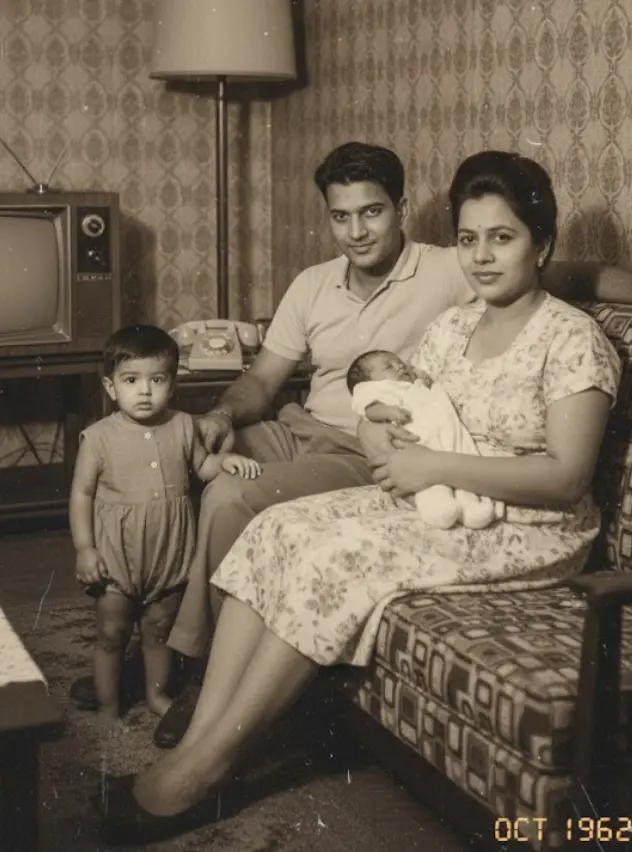
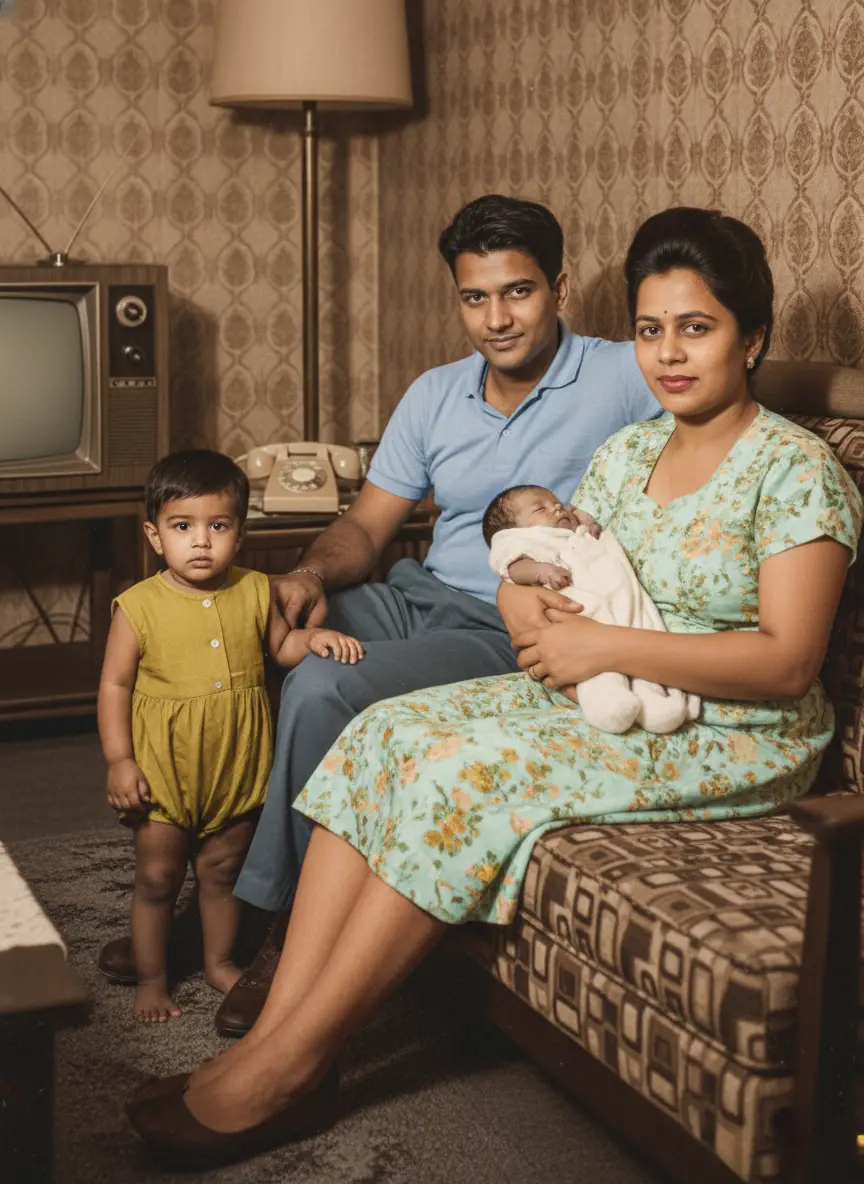
In a dusty box or a forgotten album, you have it. A photograph of your great-grandparents on their wedding day.
It’s more than a picture. It’s the founding document of your family.
It’s the beginning of a lineage, a story that leads directly to you. But the photo itself is fading. It might be torn, stained, creased, or so washed out that their joyful faces are becoming ghosts. You want to save it, to share it, to frame it. But how?
For years, your only option was to find a professional restorer, pay a small fortune, and wait weeks for the result. That’s no longer the case.
This guide will give you a step-by-step plan to restore your great-grandparents’ precious wedding photo yourself, right from your computer, in just a few minutes. We will cover everything from handling the delicate original to performing a digital heirloom photo restoration.
Why Restoring an Old Wedding Photo is So Important
Before we get to the “how,” let’s focus on the “why.” This isn’t just about a quick old wedding pictures repair. It’s about what you unlock when you do.
- You Preserve a Legacy. A restored digital copy is a permanent version of this moment. It stops the clock on decay and ensures the memory is safe forever.
- You Uncover Lost Details. Restoration can reveal incredible details hidden by damage. You might see the fine lace on your great-grandmother’s dress, the pattern on your great-grandfather’s tie, or even relatives in the background you never knew were there.
- You Create a Bridge Between Generations. A clear, vibrant wedding photo is a powerful tool for storytelling. It allows you to show your children, “This is where our family began.”
- You Create a Priceless Gift. A beautifully framed, restored wedding photo is one of the most meaningful gifts you can give for an anniversary, holiday, or family celebration.
You’re not just fixing a damaged photo; you are reactivating a cornerstone of your family’s history.
Step 1: Handle the Original Photo with Extreme Care
Before we even get to the computer, we must respect the original artifact. This photo is likely old and fragile.
- Wash and Dry Your Hands. Oils and dirt from your fingers can cause permanent damage. Better yet, wear clean cotton or nitrile gloves.
- Work on a Clean, Flat Surface. Use a table or desk that is free of any clutter, food, or drinks.
- Never Try to Fix the Original Yourself. Don’t use tape on tears or try to wipe away stains with water. These actions can cause irreversible damage. Our goal is to create a perfect digital copy to work from, leaving the original untouched and safe.
Step 2: The Best Way to Digitize Your Wedding Photo
To digitise your old photos, you need a high-quality digital file. This is the most critical step for a great result.
Option A: Use a Flatbed Scanner (The Best Quality)
If you have a home printer with a scanner, this is your best option.
- Clean the Glass: Wipe the scanner bed with a microfiber cloth.
- Set the Resolution: In your scanner’s software, choose the resolution. For a precious heirloom, use a high setting like 600 DPI (dots per inch). This captures the maximum amount of detail.
- Choose the File Type: Save the scan as a PNG or TIFF file if possible. These file types are “lossless,” meaning they don’t lose quality like a JPEG can. If JPEG is your only option, choose the highest quality setting.
Option B: Use Your Smartphone (Fast and Convenient)
If you don’t have a scanner, your phone can do an excellent job.
- Download a Scanning App: Do not just take a picture with your regular camera app. This will create glare and distortion. Use a free app like Google’s PhotoScan.
- Find Good Light: Place the photo on a flat surface in a room with bright, indirect light. Avoid direct sunlight and overhead lights that cause a glare.
- Follow the App’s Guide: PhotoScan will instruct you to move your phone to capture the image from several angles. It then stitches these together to create a single, sharp, glare-free digital image.
You now have a safe, high-quality digital version of your photo, ready for the magic to begin.
Step 3: The AI Restoration Process (in Under a Minute)
This is where we perform the damaged wedding photo fix. We will use an AI-powered tool called BringBack.pro because it is incredibly effective, fast, and built for this exact purpose.
- Why an AI Tool? It’s been trained on millions of photos to recognize and fix common problems like scratches, tears, stains, and fading. It does in seconds what would take a human artist hours.
Here’s the simple, step-by-step process:
- Navigate to BringBack.pro. Open the website in your web browser.
- Upload Your Scanned Photo. Choose “Old photo restoration” Drag and drop the digital file you just created onto the site.
- Click to Restore. The AI immediately analyzes the photo for damage. It intelligently reconstructs torn areas, erases stains and scratches, and corrects the fading and contrast.
- Download the Restored Masterpiece. In less than 30 seconds, the process is finished. You will be presented with a stunning “After” version. Download this new, high-resolution file to your computer.
The difference will be dramatic. The yellow haze will be gone, the tear will have vanished, and the focus will be sharper, revealing your great-grandparents’ faces with newfound clarity.
Step 5: Frame and Share Your Restored History
You’ve successfully completed the old wedding pictures repair. Now, don’t just leave this digital file on your computer.
- Print and Frame It: Print your restored photo on high-quality matte or satin photo paper. A beautiful frame turns it into a piece of art for your home.
- Create a “Then and Now” Display: Frame the restored photo next to a wedding photo from a more recent generation (your parents, or even your own). This creates a powerful visual story of your family’s journey.
- Share it at a Family Gathering: Unveiling the restored photo at a family reunion, holiday, or anniversary celebration can be an incredibly emotional and unifying moment.
- Give it as a Gift: Share copies with your parents, siblings, aunts, and uncles. It’s a gift that connects everyone to your shared heritage.
Your Family’s Founding Moment, Reborn
That fragile, faded photograph is a direct link to your family’s beginning. For too long, we’ve watched these precious heirlooms slowly fade away, thinking the damage was irreversible without spending a fortune.
Technology has changed that.
By following these simple steps, you can stop the decay. You can fix old wedding photos that you thought were lost to time. You can restore the clarity, the joy, and the emotion of that incredible day, ensuring that your great-grandparents’ story can be seen and shared for generations to come.
Your family’s founding moment is waiting. It’s time to bring it back to life.