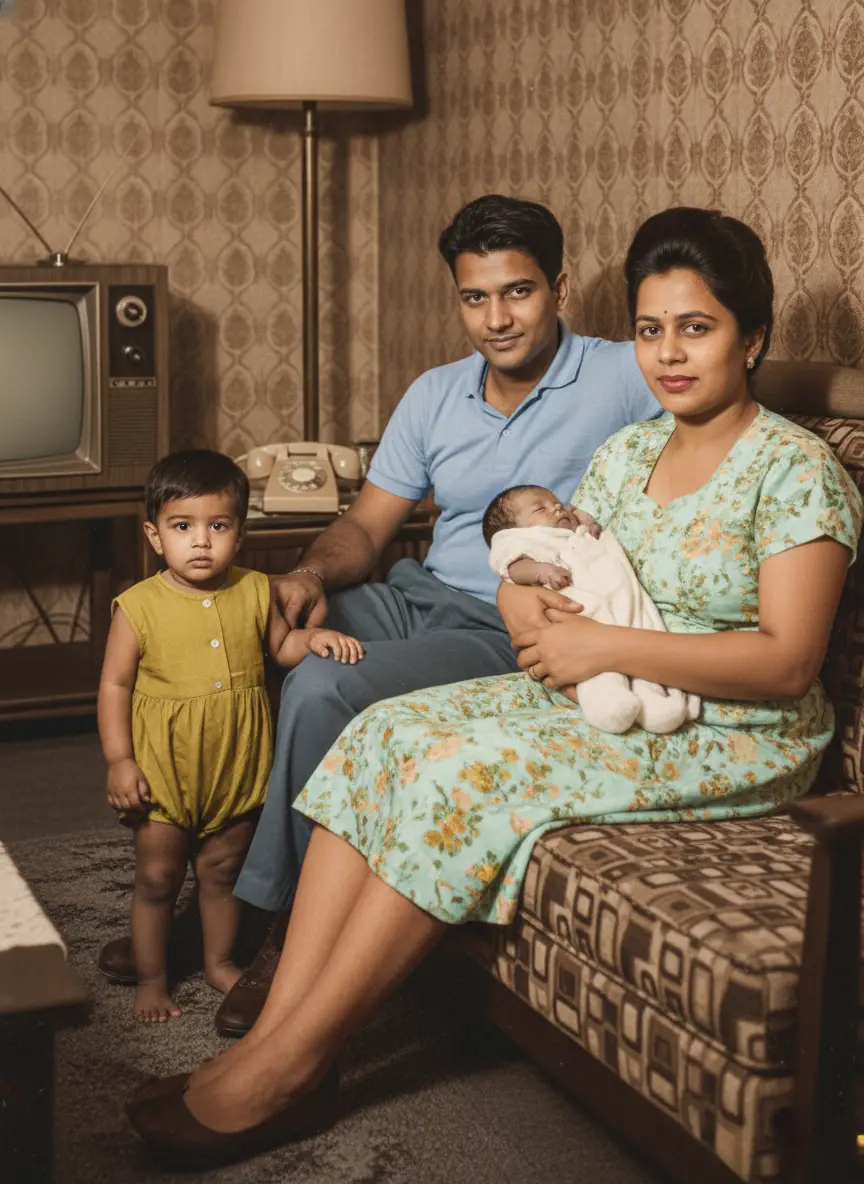
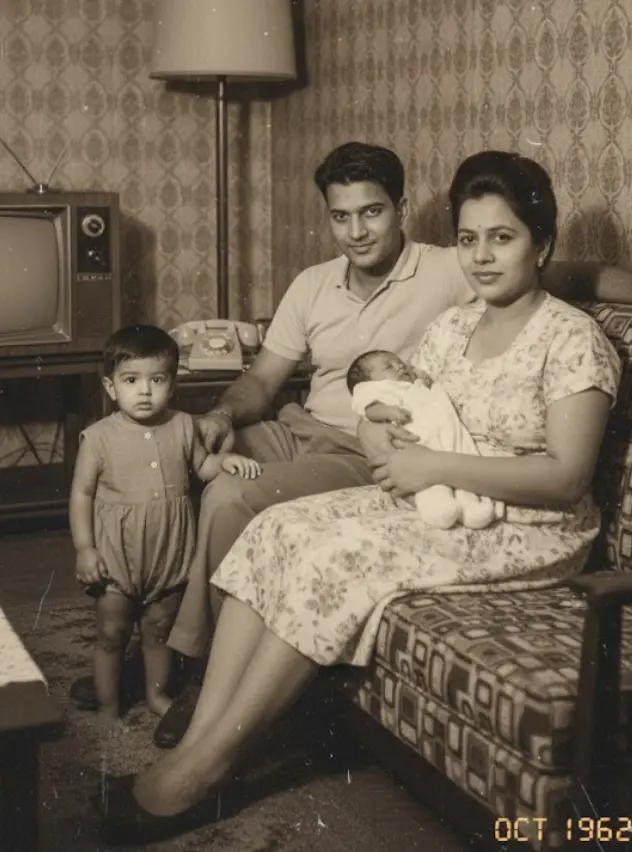
Many of you reach out to us, wondering if it's truly possible to bring old photographs of loved ones back to life. The answer is a heartfelt yes, you can animate photos of deceased relatives. AI-powered technologies now make it possible to create digital avatars from still images, allowing faces to move, smile, and even seem to speak.
This incredible leap in technology offers a new way to connect with precious memories. Imagine seeing your grandmother’s laugh again, or your father’s knowing glance. For instance, Sun Kai, co-founder of Silicon Intelligence, created an AI avatar of his mother to help process grief, even holding weekly video calls with the digital likeness.
But this ability comes with important considerations. We believe that preserving these memories should always be done thoughtfully and with respect. Because we are dealing with something so personal, ethical questions, mental well-being, and legal rights are essential to discuss. You must ensure you approach this new frontier with care.
Can you animate photos of deceased relatives?
Yes, you absolutely can animate photos of deceased relatives. It ranges from simple facial movements to more complex, interactive digital avatars.
You can now see a loved one's smile again. It's no longer science fiction. Services such as MyHeritage's Deep Nostalgia™ use deep learning to animate faces in still photos. This allows you to see your relative seemingly come to life.
In some countries, this has become a full-blown industry. In China, numerous companies offer AI 'resurrection' services. This reflects a cultural tradition of confiding in the dead.
But the options don't stop there. The startup 2Wai, for example, has an app to create interactive digital avatars of deceased family members. Imagine having a conversation with a digital recreation of someone you miss.
How do we approach this at BringBack? We focus on creating a comforting experience. It should be a way to remember and honor your loved ones.
Of course, there are important ethical considerations here. Are you honoring their memory? Or creating something that could cause distress? It's vital to consider the feelings of all family members involved. And, with any service, understand the privacy implications.
Ready to take the next step in preserving your family’s history? You may also want to see how to create a live portrait from a still old photo 2026.
How modern AI recreates human movement
How modern AI recreates human movement.
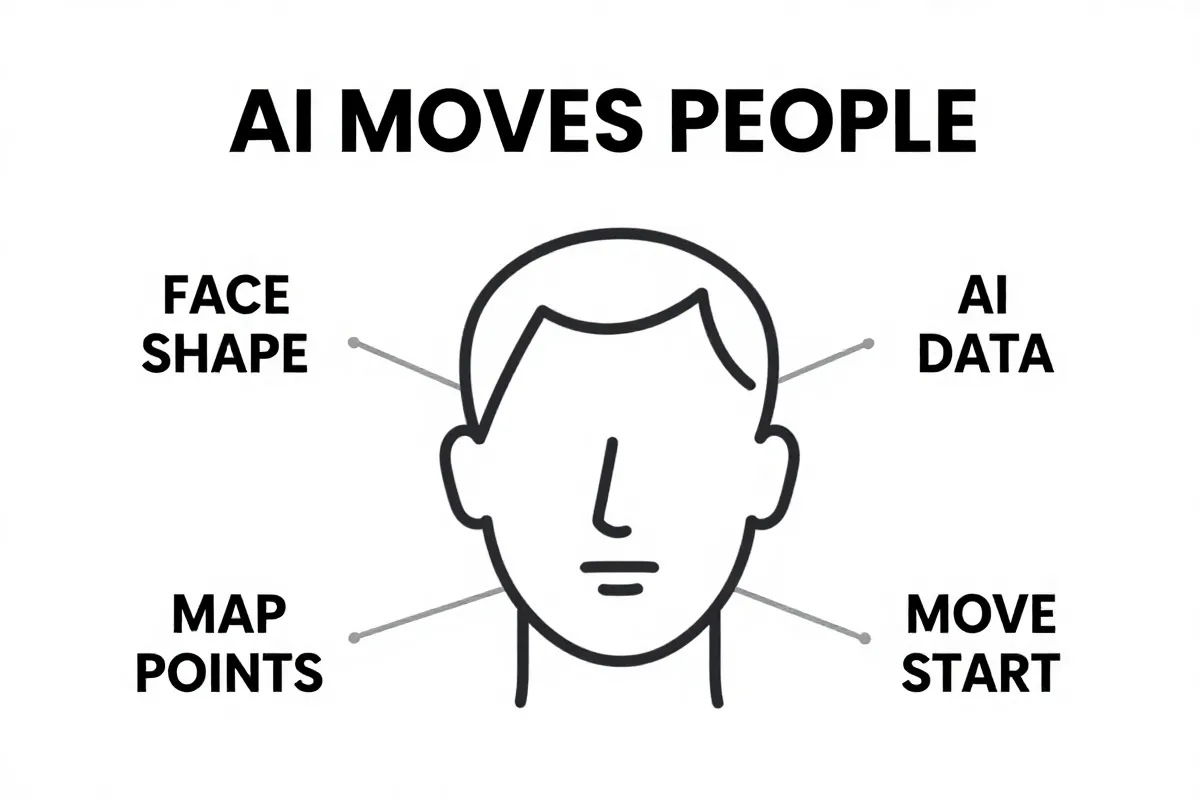
Think of it as digital puppetry, but instead of strings, it's math. Deep learning algorithms analyze thousands of faces. It’s like the AI is building a massive, detailed map of every possible expression.
This "map" identifies key facial features: the corners of the mouth, the crinkle around the eyes, the tilt of the head. Then, AI applies motion transfer.
Motion transfer is where the magic happens. A pre-recorded movement – a smile, a nod, a blink – is overlaid onto the still photo. The AI adjusts this movement to fit the unique contours and features of the face in the picture. It’s not perfect. But it can be surprisingly convincing.
It's like taking the essence of a human expression and grafting it onto an old memory.
But here's a simplified view of the key steps:
- AI scans the photo and identifies facial landmarks.
- It selects a corresponding movement "driver" from its library.
- The driver is then adapted and applied to the original image.
The big issue is realism. Current AI can struggle with extreme angles or poor-quality photos. This can result in a slightly unnatural or uncanny animation.
And it's important to remember the ethical considerations. Is this "real," or is it a manipulation? It is essential to keep this in mind when sharing or viewing these animations.
If you're thinking about gifting an animated photo, read our article on how to gift animated photos to parents for their anniversary.
Facial animation vs. interactive digital avatars
Facial animation isn't the same as having a conversation. One is a gentle revival; the other, a digital recreation.
The most common form of animating deceased relatives is through facial animation. MyHeritage's Deep Nostalgia™ is a prime example. These tools take a still photograph and add subtle movements. Eyes blink. A smile plays across the lips. It's a glimpse of life, but it’s a silent movie.
Interactive digital avatars take it a step further. Consider the work of 2Wai. Their app creates avatars capable of holding conversations. This allows for something that feels closer to interaction.
But the difference is stark. Facial animation offers a comforting illusion. Interactive avatars aim for a more immersive experience.
Which is right for you? It depends on what you seek. Do you want a gentle reminder? Or do you want something closer to a digital reunion?
The ethical considerations change, too. A simple animation feels less intrusive than an avatar that speaks.
Here’s a simple comparison:
- Deep Nostalgia™: Subtle facial movements; a brief, visual experience.
- 2Wai: Interactive avatars capable of conversation; a potentially longer, more immersive experience.
And, remember, you can see how to create a video of you hugging loved ones with our other available articles.
At BringBack, we understand these nuances. We strive to offer options that respect your memories.
Accuracy and lifelike qualities of today's AI
Accuracy in AI animation walks a tightrope. The closer the animation gets to reality, the more jarring any imperfection becomes.
This is known as the "uncanny valley": that unsettling feeling when something almost looks human, but not quite. And it's a real risk when animating deceased relatives.
But technology is improving. What used to look like a cartoonish caricature can now achieve surprising visual fidelity. Still, even the best AI can stumble.
The crucial thing is to manage expectations. Don't expect a perfect recreation. Think of it more as a touching impression. A reminder.
Consider also emerging legislation. New York, for instance, defines a “synthetic performer” as a digitally created asset using generative AI or software algorithms intended to create the impression of a human performer not recognizable as any identifiable natural person.
Here's what to keep in mind:
- Photo Quality: The better the original photo, the better the animation.
- AI Limitations: Current AI struggles with profile views or obscured faces.
- Personal Preference: Some people find even slight animation comforting; others find it disturbing.
The larger issue is intent. Are you hoping to perfectly recreate a lost loved one? Or simply wanting a brief, emotional connection?
Your answer will guide your choice. And inform your expectations.
We built BringBack to create a comforting, respectful experience. Our approach is to offer subtle animations. It should bring a smile without venturing into the uncanny valley.
If you are interested in restoring photos to a former time, you can also read about how to colorize black and white photos for genealogy research.
Now, before you proceed, let's talk about the ethics.
What you need to start the process
To start, you need a source photo with decent resolution. The better the source photo, the better the animation's outcome.
Blurry photos yield blurry results. And photos with faces obscured by shadows or extreme angles? Those are a no-go.
For simple facial animations, a clear, well-lit headshot is enough. But what if you want to create a more interactive avatar? That's where it gets trickier.
You'll need more than just a photo. Audio samples of the deceased relative speaking can add a layer of realism. Old home movies or voice recordings can be invaluable.
But it's not just about having the data. It's about the quality of the data. Fuzzy audio will produce a fuzzy-sounding avatar. The more clear and distinct the source audio is the more human-like the avatar sounds.
Consider this:
- High-Resolution Photo: Aim for at least 300 DPI (dots per inch).
- Clear Audio Samples: Minimize background noise; prioritize clarity.
- Multiple Angles (for Avatars): Several photos from different angles can help create a more convincing 3D model.
The catch? Gathering this data can be emotionally taxing. Sifting through old recordings may bring up difficult memories.
Take your time. And be kind to yourself.
Our team at BringBack knows this process can be sensitive. We've designed our platform to be as user-friendly and respectful as possible. We believe in honoring memories.
Now that you've gathered your materials, let's delve into the ethical considerations.
Choosing the right photo for high-quality results
Choosing the right photo is paramount; you can't expect miracles from a blurry snapshot. The quality of the animation directly hinges on the clarity of the original image.
A clear image with distinct facial features will always yield the best results. That’s just a fact. Forget those tiny, pixelated photos pulled from old social media accounts. They simply won’t do.
What should you look for?
- Sharp Focus: The face should be in focus, not blurry.
- Good Lighting: Avoid photos with harsh shadows or overexposure.
- Full Facial View: The face should be mostly visible, not obscured by hats, hands, or extreme angles.
Damaged photos? Don't despair. Our photo restoration tools at BringBack can often rescue seemingly lost causes. We can repair tears, remove blemishes, and even sharpen blurry details to prepare the image for animation. We've seen photos brought back from the brink, allowing families to see loved ones in stunning clarity once more. It's a beautiful thing.
If your only option is a damaged or low-resolution image, BringBack can help. Because every memory deserves a chance to shine.
Now, let's discuss the ethics of animating deceased relatives, a crucial consideration.
Ideal lighting and resolution standards
Ideal lighting and resolution are non-negotiable if you want animation that honors your loved one. A blurry, poorly lit photo will produce results that may cause more pain than joy.
So, what's ideal? Aim for photos that are front-facing, where the subject looks directly at the camera. This angle gives AI the most data to work with, resulting in smoother and more natural animations. Avoid profile shots or images where the face is partially obscured. Those rarely work well.
Even lighting is equally important. Harsh shadows and overblown highlights distort facial features. Natural, diffused light is best. Think of a portrait taken on an overcast day. That's the kind of lighting you want.
Now, let's talk numbers. Resolution matters. For best results, your photo should have a minimum pixel density of 1000×1000 pixels. Lower than that, and the animation may appear grainy or pixelated. Ideally, you'll want to hit 300 DPI. But understand that DPI is only relevant when printing. The higher the pixel count, the more detail the AI can capture, and the more lifelike the animation will be.
- Front-facing angle is the best.
- Even lighting for accurate features.
- Minimum pixel density of 1000×1000.
But, what if you only have a low-resolution photo? Don't give up completely. As we mentioned previously, we offer photo restoration tools.
However, even with restoration, there are limits. A severely pixelated image will only improve so much. It is important to manage your expectations.
Choosing the right photo is a pivotal first step. From there, you may also want to learn how to use AI photo animation to make old photos move and smile, to get the very best quality. Now, we'll move into the ethical considerations to keep in mind.
Data required for interactive AI ghosts
For interactive AI ghosts, a photo alone won’t cut it. You need data that captures the essence of the person: their voice, their mannerisms, how they expressed themselves.
This means delving into archives. Text logs (emails, letters, social media posts) help with personality mapping. The AI analyzes these to understand their communication style, common phrases, and even their sense of humor.
Then comes the voice. Audio recordings are crucial. Whether it's old voicemails, interviews, or even snippets from home videos, these provide the raw material for voice cloning.
What if you have no audio? That's where text-to-speech (TTS) comes in. TTS engines can generate a voice based on written text. But without original recordings, it will lack the unique intonations and quirks that made your loved one sound like them.
- Text logs for communication style.
- Audio recordings for voice cloning.
- Videos for mannerisms.
The catch is that this requires meticulous curation. It’s not about throwing every piece of data at the AI. It’s about carefully selecting materials that best represent the person you want to recreate. Because some data may paint an incomplete or inaccurate picture.
At BringBack, we recognize the sensitivity of this process. Our approach is to guide you in selecting and preparing this biographical data to ensure the most authentic and respectful representation possible. It's about bringing back their spirit, not creating a caricature.
Legal and privacy risks you should know
Legal and privacy risks are real and must be considered; just because the tech exists doesn't mean it's a free-for-all. Animating photos of deceased relatives opens a can of worms you should be aware of.
The biggest question: who owns the digital likeness of a deceased person? It's not as simple as you might think.
This dives into intellectual property rights. But it also involves what's known as the "right of publicity".
The right of publicity gives individuals control over the commercial use of their name, image, and likeness. But what happens when that individual is no longer around to exercise that control?
- Laws vary widely by jurisdiction, with some states extending the right of publicity after death, while others don't.
- This can create a legal minefield.
- Ethical considerations are front and center.
The legal complexities surrounding digital resurrection involve both intellectual property and the right of publicity for the deceased, as Simkins reports.
Then there's data privacy. What happens to the personal data (photos, audio recordings, etc.) used to create these animations or avatars? Is it stored securely? How is it used? Is it shared with third parties? And what are your rights regarding that data?
These are crucial questions to ask before entrusting your precious memories to any service. We built our platform with strong data encryption and strict privacy protocols because you deserve peace of mind. We believe your memories are sacred, and we treat them that way.
Before you animate a photo, consider: who should give permission? Is it the spouse, children, or other family members? You might want to discuss this with your family. It could cause some disagreement.
Now that you know the legal and privacy risks, let's talk about the potential impact on mental health.
Who owns the rights to a digital likeness?
The problem is, that even in death, a person's identity has value. Post-mortem "right of publicity" dictates who controls the commercial use of a deceased person's name, image, and likeness.
And it gets messy.
These likeness rights don’t automatically transfer to the closest relative. It’s often the deceased person's estate that controls these rights. Meaning, decisions about how their image is used – even in AI recreations – require the estate's permission.
But here's where it gets tricky:
- Laws regarding post-mortem publicity rights vary wildly.
- Some states (like California and New York) have strong protections.
- Others offer little to no protection after death.
This patchwork of laws means that creating an AI avatar of your great-uncle Jim might be perfectly legal in one state but a major violation in another. It comes down to consent.
If you're thinking of creating an AI version of a deceased relative, start by consulting an attorney familiar with intellectual property law in the relevant jurisdiction. They can help you navigate the legal landscape and ensure you're not infringing on anyone's rights.
If the deceased had a will, it should specify who controls their estate. If not, state law will determine the line of succession. Either way, obtaining permission from the deceased person's estate is a non-negotiable first step.
Ignoring this step could lead to legal challenges down the road. Remember, respect for the deceased and their legacy should always come first.
While we at BringBack cannot provide legal advice, we strongly encourage you to seek legal counsel before proceeding with any AI animation project. Ethical considerations must be balanced with legal compliance, as we navigate the complexities of digital immortality.
Now that we have discussed who owns the rights to a digital likeness, let's talk about the potential impact on mental health.
New York's laws on synthetic performers
New York is cracking down on unauthorized AI likenesses. The state has enacted laws requiring disclosure of AI-generated performers in advertising.
This means if you see an ad featuring a "person" who is actually a digital creation, the ad must tell you. It aims to protect both consumers and the rights of real performers.
But it doesn't stop there. New York law also requires consent for using deceased individuals' likenesses. This is part of an effort to prevent the unauthorized digital resurrection of celebrities or anyone else.
What exactly does this mean for you? If you're planning to use an AI to animate photos of deceased relatives for commercial purposes, you need to tread carefully.
Here's the breakdown:
- A “synthetic performer” is defined as a digitally created asset using generative AI or software algorithms.
- It's intended to create the impression of a human performer not recognizable as any identifiable natural person.
- Disclosure is required in advertising.
The catch? These laws are still relatively new, and their full implications are yet to be seen. But the message is clear: unauthorized digital resurrections are not welcome in New York.
The bigger question is how these laws will evolve. We will also see if this has mental health impacts.
Mental health risks and emotional well-being
Animating deceased relatives can open a Pandora's Box of emotions. The use of AI 'ghosts' may pose mental health risks, potentially disrupting the natural grieving process.
This isn't about a simple photo album. This is about creating something that seems alive. And that can blur the lines between memory and reality.
The potential exists for emotional dependency on AI avatars, which could hinder long-term recovery from loss.
It’s easy to see how someone might become overly attached to a digital recreation of a loved one.
Here's why this is a concern:
- It can hinder acceptance.
- It may prolong grief.
- It can create unrealistic expectations.
The goal should be to honor memories, not replace relationships. And there's a subtle but important difference.
But here's the hard truth: not everyone is emotionally equipped to handle this technology. Those struggling with grief or prone to depression may be particularly vulnerable. It could lead to confusion, stress, or even psychosis.
If you're considering animating a photo of a deceased relative, ask yourself: am I doing this for the right reasons? Am I prepared for the emotional fallout? And am I willing to seek professional help if needed?
We believe in creating tools that bring comfort and joy. But we also recognize the potential for harm. If you're feeling overwhelmed, please reach out to a mental health professional. You don't have to go through this alone.
And, if you’re feeling overwhelmed, you may wish to try creating a video of you hugging loved ones. A tangible expression of emotion in animation.
What are the alternatives to animating photos?
There are alternatives that can help you honor their memory. Consider restoring old photos. We can repair damage and bring faded images back to life.
Sometimes, simply seeing a clear, crisp image of a loved one is enough. You don't need animation to feel connected. It's a powerful way to reconnect with the past.
Then there's creating a memorial video. Compile photos, home movies, and audio recordings into a heartfelt tribute. It’s a tangible way to share their story with future generations.
And don't underestimate the power of storytelling. Share memories and anecdotes with family and friends. Keep their spirit alive through words.
Here's a quick comparison:
| Option | Description | Emotional Impact |
|---|---|---|
| Photo Restoration | Repairing damaged or faded photos to their original glory | Can evoke strong feelings of nostalgia and connection |
| Memorial Video | Compiling photos, videos, and audio into a tribute | Allows for a comprehensive and emotional celebration of life |
| Storytelling | Sharing memories and anecdotes with loved ones | Fosters a sense of community and keeps memories alive through personal connections |
| AI Photo Animation | Adds facial movement to an otherwise still photo | It could create the illusion of a re-lived memory, however it may cause mental distress |
Each option offers a unique way to honor your loved ones. But the key is to choose the one that feels right for you. And remember, at BringBack, our goal is to provide options that are respectful, meaningful, and emotionally safe.
Check out how to use AI photo animation to make old photos move and smile to see some more options.
Conclusion: Finding a balance
The ability to animate photos of deceased relatives is a powerful tool. The best approach is one of balance. Weigh the potential benefits against the potential risks.
Remember to keep the emotional and ethical considerations front and center. Ensure you have the necessary permissions. And be mindful of the impact on your own mental health.
But don't let these concerns scare you away completely. Used thoughtfully, AI animation can be a beautiful way to honor and remember loved ones. It offers a chance to reconnect with the past.
Here's what you should do next:
- Gather your photos and other materials.
- Research the legal and privacy implications in your area.
- Talk to your family about your plans.
- Seek professional help if you're struggling with grief.
It's all about finding a balance that works for you. It can be a powerful way to honor their legacy.
At BringBack, we're here to help you every step of the way. We want to make sure your memories are treated with respect and care.
Impact of digital resurrections on mental health
The interaction of AI with grief requires caution. Animating photos of deceased relatives can bring unexpected emotional turmoil.
It’s not as simple as pressing a button and feeling instant joy. The human mind is complex, and grief, in particular, is a delicate process.
This technology can, indeed, offer comfort. A fleeting glimpse of a loved one's smile can be a precious moment. But there is a line that you shouldn't cross.
However, the risks are real. Prolonged interaction with AI-generated simulations can disrupt the natural grieving process. It could lead to confusion, stress, or even psychosis.
Understanding the natural progression of mourning is vital when considering how AI tools might affect the five stages of grief, as Harvard Health explains.
The danger lies in becoming overly reliant on the simulation. Some may find themselves retreating into a digital echo chamber.
- It can prevent you from fully processing your loss.
- You run the risk of getting stuck in denial.
- You will struggle to find acceptance.
We built BringBack to be a comforting tool. But we want you to know the limits of our technology and encourage professional counseling if needed.
We believe in honoring memories. But we never want to replace real-life connections or hinder the journey toward healing. If you're grappling with complex feelings, consider reaching out to a qualified therapist.
Now, we'll explore what you need to start the process.
Risks of emotional dependency and confusion
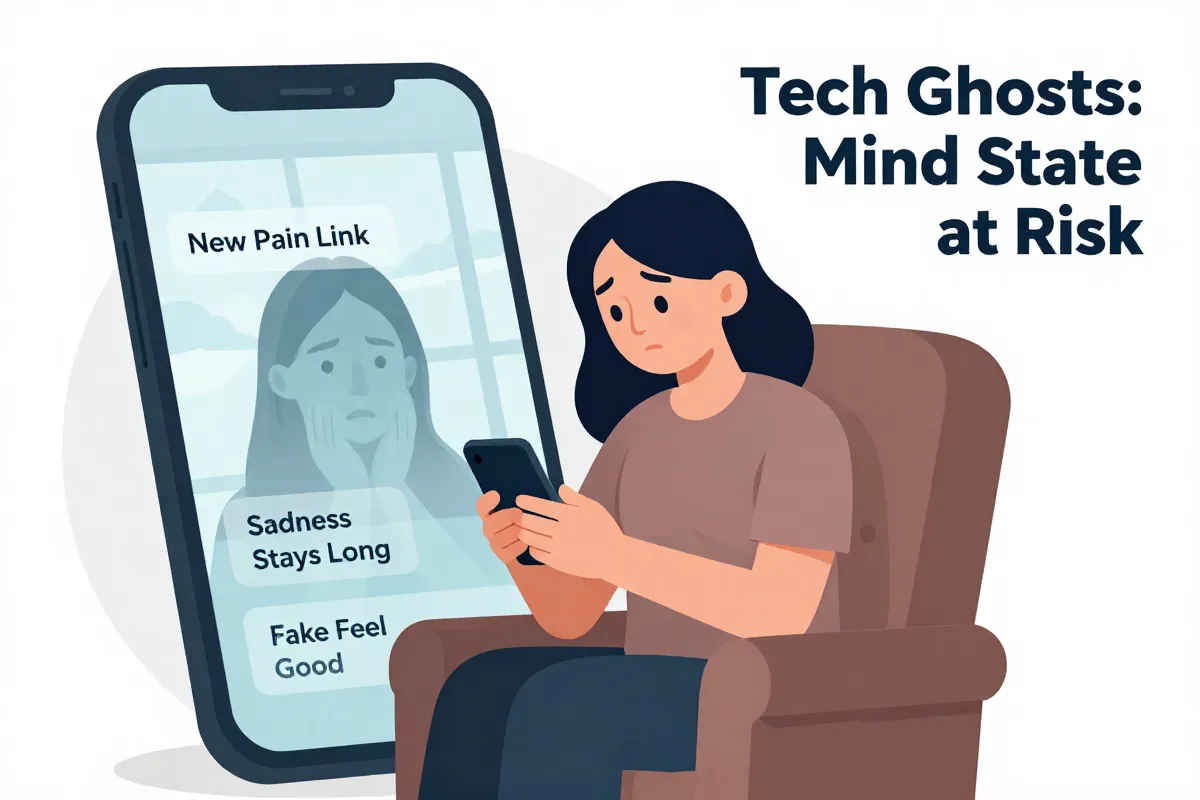
Risks of emotional dependency and confusion. Experts warn that emotional dependency on AI avatars can indeed stall the recovery process. It is easy to get confused with what is real and what isn't.
Some mental health professionals suggest that prolonged engagement with digital simulations might hinder long-term bereavement. The virtual presence, while comforting initially, could prevent the necessary emotional processing that comes with loss. It’s not about forgetting; it’s about adapting to a new reality without the physical presence of the loved one.
It is vital to know the limitations. Consider this.
- The difference between digital simulation and true presence blurs.
- This can lead to confusion and distress.
- There is a risk of idealizing the digital version.
There are some warning signs to watch out for. Increasing isolation from real-life relationships, spending excessive time interacting with the avatar, or feeling more connected to the digital version than to living family members are all red flags. And if you find yourself relying on the avatar to avoid dealing with your emotions, it's time to seek professional help.
We encourage finding a balance between honoring memories and maintaining mental well-being. It's about using technology as a tool for remembrance, not as a crutch to avoid the pain of loss.
Now, let's delve into what you need to start the process of animating photos, keeping these cautions in mind.
Using technology as a healthy tribute
Using technology as a healthy tribute is possible. Look at Sun Kai, co-founder of Silicon Intelligence, who holds weekly video calls with a digital avatar of his deceased mother. It's a modern way to keep her memory alive. For him, it’s a source of comfort, not a replacement for grief.
These experiences highlight AI's potential as a tool for remembrance. It allows for continued connection in a new way. But it only works if approached with care and a strong sense of self-awareness.
- AI can support coping with grief.
- It can create unique experiences to honor memory.
- But, be aware of the mental health risks.
This isn't about pretending the person is still here. It’s about finding a new way to interact with their memory. We strive to create experiences that are respectful and bring joy to the lives of families.
Now, before you start, it is important to know the legal and privacy risks.
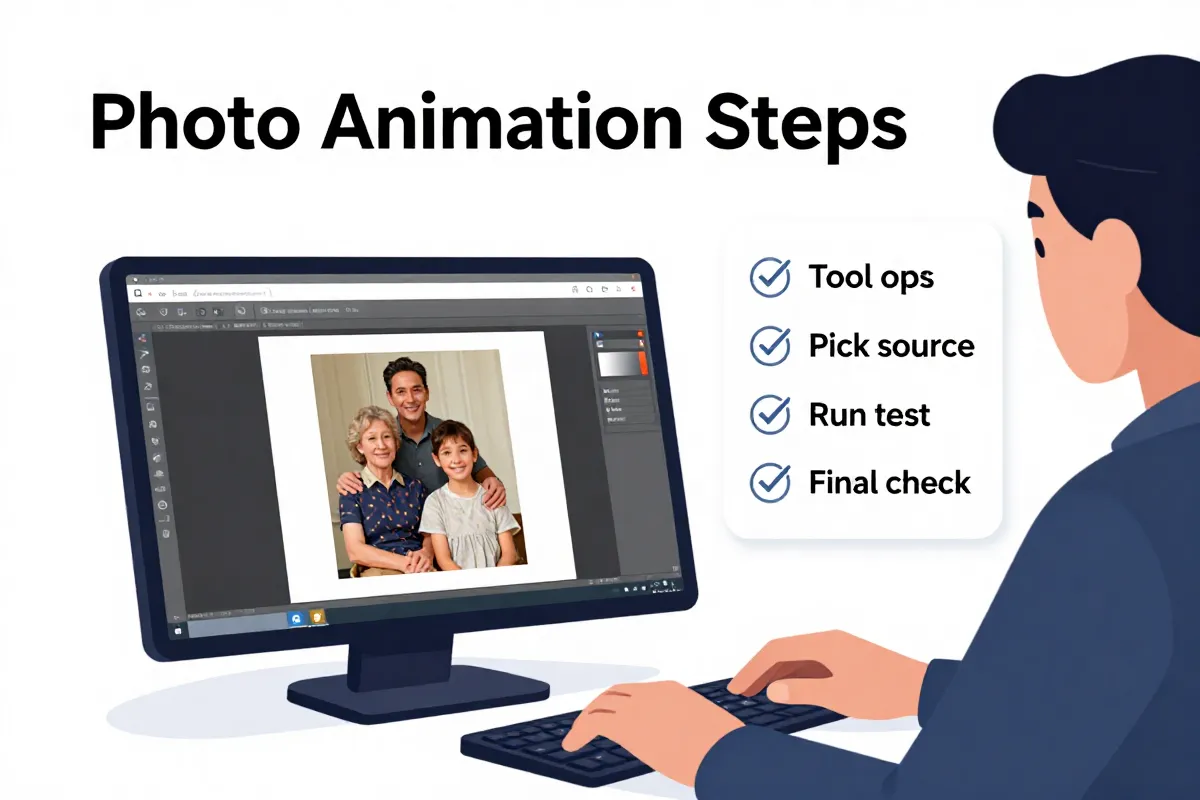
Steps to animate a photo safely
Animating photos safely starts with the right photo animation tool; you get what you pay for. Not all tools treat your precious memories (or your privacy) with the respect they deserve.
First, research photo animation tools. Look for services that clearly state their privacy policies.
BringBack, for example, employs end-to-end encryption. This ensures your photos are protected from prying eyes.
Here’s how to check:
- Read the Terms of Service: See if they retain rights to your images. (They shouldn't).
- Look for Encryption: Make sure they use secure protocols. (HTTPS, SSL).
- Check Reviews: See what other users say about their experience. (Trustpilot, Sitejabber).
Next, upload your chosen photo. Choose a tool that provides options for subtle animation. Avoid tools offering overly dramatic or unrealistic movements, as these can venture into the uncanny valley. Then, adjust the animation settings. Most platforms let you control the intensity and speed of the animation. Err on the side of caution.
Now, review the animated photo. Take a moment to assess how it makes you feel. Does it bring you joy, or does it evoke sadness or discomfort?
And finally, download and store the animated photo securely. Consider backing it up in multiple locations, such as a local hard drive and a cloud storage service. Just be sure to password-protect your backups.
Selecting a reputable tool like BringBack
Selecting a reputable tool is not just about features; it's about entrusting precious memories to a responsible custodian. Choosing a secure platform is the first step in learning how to create a live portrait from a still old photo responsibly.
Free tools might seem tempting, but they often come with hidden costs. Data privacy is a common concern; many free services monetize user data, potentially exposing your sensitive family memories. And some services retain rights to use the photos.
We built our platform to be user-friendly but also secure.
- Our encryption methods are end-to-end.
- We also offer simple tools to restore images.
Our team wants you to feel comfortable. It’s about more than a user interface.
Restoring the original image quality
If you want the best animation, don't skip the restoration step. A little prep work goes a long way to achieving a more pleasing result.
Before animating, you may want to colorize black and white photos to give the final video a more lifelike appearance. Restoring the original colors breathes life back into those memories.
Consider these benefits:
- Enhanced clarity in facial features.
- More accurate skin tones during animation.
- Reduced risk of the uncanny valley effect.
We built our platform with image restoration in mind, but we've noticed many people skip this step, leading to suboptimal results. Our advice? Take the extra time. It's worth it.
Comparing costs of top platforms
Pricing varies wildly. It goes from free options to bespoke avatar creation running thousands of dollars.
MyHeritage, for example, offers Deep Nostalgia™ as part of a larger subscription. Users report hidden fees, however. And the base package might not be enough. Additional features cost extra.
On the other end of the spectrum, custom interactive avatars can cost a pretty penny. These are often priced based on complexity and level of interaction. Think professional service, not a simple app. But the result can be remarkably lifelike.
Consider this breakdown:
- Free Trials: Some platforms offer free trials; a chance to test the waters.
- Subscription Fees: Typically range from $10 to $50 per month, depending on features.
- Custom Avatar Creation: Could range from $1,000 to $10,000 or more.
The catch? The "free" options are often limited in functionality or come with watermarks. And cheaper subscriptions limit the number of photos you can animate.
We built BringBack to offer a balance. Our pricing is transparent.
Next Step: Delve into the legal and privacy risks you should know.
Ethical alternatives for honoring ancestors
There are options beyond digital resurrection. Not everyone feels comfortable with AI simulations of deceased loved ones. You can honor their memory in ways that feel more authentic and less… unsettling.
Consider traditional genealogy research. Digging into your family's past, tracing your lineage, and uncovering long-lost stories can be deeply rewarding. Ancestry.com reports that 83% of users feel a stronger connection to their family history after researching their roots (that's a powerful bond). It’s about understanding their lives.
Or, create a digital scrapbook. Compile photos, letters, and other mementos into a beautiful online tribute. Add captions, stories, and anecdotes to bring the memories to life. Think of it as a curated museum of your family's history, accessible to everyone. It is like building a time machine for your ancestors.
Another option is a video tribute. Gather family members and friends to share stories and memories on camera. Edit these into a touching montage.
Here’s a brief comparison:
- Genealogy: Researching family history to discover ancestors and lineage.
- Digital Scrapbook: Compiling photos, letters, and mementos into an online tribute.
- Video Tribute: Gathering loved ones to share stories and memories on camera.
But the biggest issue is deciding to do it or not. Our team at BringBack understands that not everyone wants a digital avatar. We believe in honoring memories in a way that feels right for you. Don't feel pressured to jump on the AI bandwagon if it doesn't align with your values. Respect their values.
Next, before you animate a photo, consider the legal and privacy risks.
Frequently asked questions about AI afterlife tech
Some are skeptical of this technology. We get asked some version of the same questions every week.
Is animating photos of deceased relatives disrespectful? It depends on your intentions and the feelings of your family. If you're aiming to honor their memory and bring comfort, it can be a beautiful tribute. But it’s disrespectful to proceed without consent from close family. And if your goal is to replace the person or create something sensational, it will come across as inappropriate.
What about data security? This is more than valid. It is paramount. Read the fine print before uploading any photos. You want to ensure that the service you’re using has robust security measures in place to protect your sensitive data. And that they don't retain ownership of your images (we certainly don't).
- Look for encryption.
- Read the privacy policy.
- Understand how your data is stored and used.
Can I animate a video instead of a photo? Yes, some services offer video animation. However, the results can be more unpredictable. A still photo provides a fixed reference point. The AI has a harder time with the motion. If you’re using a video, ensure it’s high quality and features clear facial expressions. This reduces the risk of an uncanny result. It is better to start slow.
What if I don't like the result? Most platforms allow you to adjust the animation settings or even cancel the process altogether. If you're unhappy with the result, don't feel pressured to keep it. Trust your instincts. And consider trying a different photo or a different service. At BringBack, we offer various options for subtle animation. And, you can always request a refund if you're not satisfied.