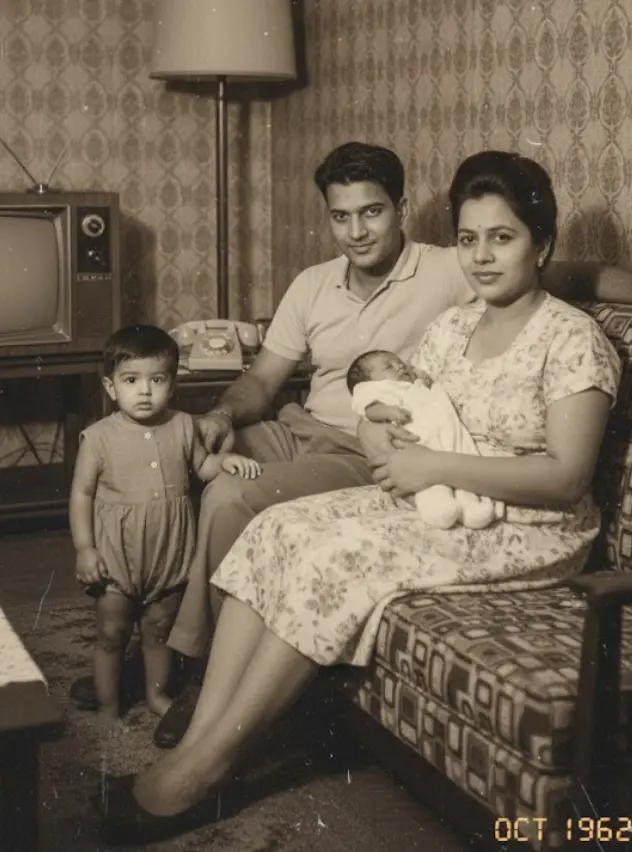
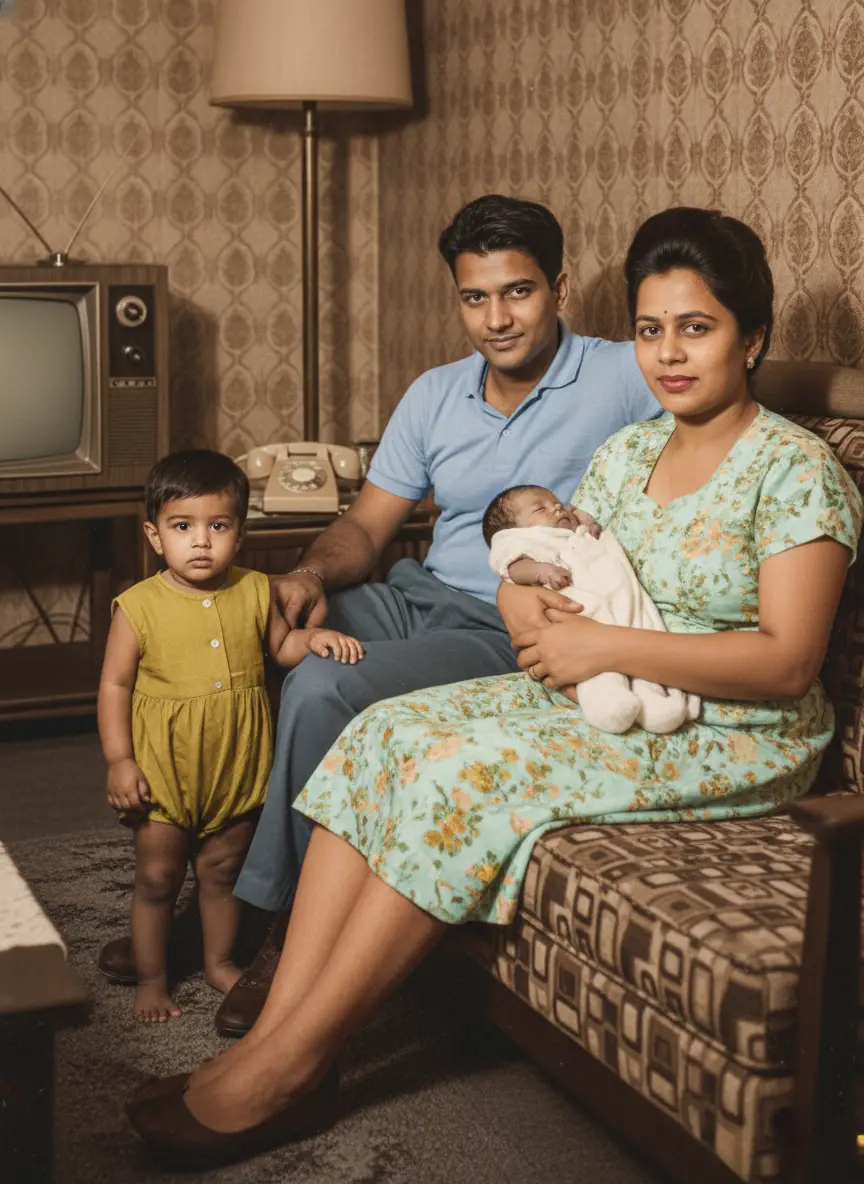
Generative AI in photo restoration reconstructs missing or damaged image areas by creating new, plausible content. This advanced technology uses complex algorithms to analyze surrounding pixels, interpreting context to predict how an image should appear. It helps to bring old, faded, or torn photos back to life, moving beyond traditional manual editing and accelerating the repair of treasured memories. Modern AI models can even fill in large gaps or extend backgrounds realistically.
Key Characteristics:
- Core Function: Automatically repairs tears, fills gaps, and removes blemishes from old photographs.
- Primary Tools: Adobe Photoshop's Generative Fill and Photo Restoration Neural Filter.
- Operational Method: Utilizes AI models to interpret image context and generate realistic new pixels.
- User Benefit: Significantly speeds up complex restoration, making it accessible for everyone.
Few things sting like finding a cherished family photo, only to see it faded, torn, or covered in scratches. These images hold our past, our stories, our connection to who we are. Bringing them back often felt like a painstaking task, reserved for experts with hours to spare. Now, AI changes that, offering powerful solutions to restore these irreplaceable visual legacies.
This guide helps you choose the right tool to repair old photos using either Photoshop's generative features or specialized AI alternatives. You will understand when to use which method to fix various types of damage, without wasting hours on ineffective techniques.
Understanding Photoshop's Generative AI for Photo Repair
Photoshop's generative AI offers powerful tools to repair old photos, moving beyond tedious manual work. These intelligent features understand image context to reconstruct damaged areas quickly and effectively.
- Generative Fill is Photoshop's AI that generates entirely new content based on an image and a text prompt. It excels at reconstructing large missing areas, extending backgrounds, and removing unwanted objects with natural results.
- The Photo Restoration Neural Filter is specifically designed to automatically detect and remove fine damage like scratches, dust, and marks from old photographs.
These AI capabilities represent a significant advancement. They allow us to bring cherished memories back to life without requiring hours of painstaking manual editing.
- Generative Fill Core Functions:
- Restoring torn corners and edges.
- Filling in gaps from missing photo sections.
- Seamlessly blending reconstructed areas.
- Scratch removal.
- Dust and noise reduction.
- Subtle color correction.
Generative Fill: Reconstructing Large Missing Areas
Generative Fill tackles large missing areas in repair old photos by creating new content based on your image and a text prompt. This capability moves beyond simple touch-ups, letting you fill in entire sections that are gone. Think reconstructing a torn corner or filling a significant gap where a piece of the photo is missing.
It works by analyzing the surrounding pixels and understanding the context of the image. You can then guide it with a prompt, such as "reconstruct the missing corner with wood texture" or "fill the torn edge with sky." The AI generates plausible content that blends seamlessly with the original photograph.
This approach is a huge leap from the painstaking manual methods of the past, which involved hours of cloning, healing, and color matching. Generative Fill operates non-destructively, working on separate layers. This means your original photo remains untouched, and you can easily refine or undo changes.
Here are some prompt ideas for optimal results when using Generative Fill to repair old photos:
- For torn edges/corners: "continue the brick wall pattern," "recreate the blue sky with clouds," or "match the background texture and color."
- For missing sections: "fill with antique paper texture," "reconstruct the subject's arm," or "complete the facial features subtly."
- For background extension: "extend the landscape with a forest scene," or "add more of the garden background."
Always start with a broad selection of the area you need to fill. Then, refine your prompt for more specific results. Experimentation is key; sometimes, a few tries with slightly different prompts yield the best outcome.
Photo Restoration Neural Filter: Specialized for Fine Damage
The Photo Restoration Neural Filter in Photoshop specifically targets fine damage that manual tools struggle with. This AI-powered filter automatically detects and removes subtle imperfections like fine scratches, dust specks, and small marks, making it ideal for bringing clarity back to your cherished photographs.
Unlike Generative Fill, which reconstructs larger missing areas, the Neural Filter works at a micro-level. It’s designed for precision, fixing the tiny blemishes that mar an otherwise good image. You can see its function and ease of use highlighted by reputable photography news sites, demonstrating how it can quickly repair old photos in Photoshop.
The filter offers real-time adjustments, allowing you to preview the results instantly and fine-tune the intensity. Its primary functions include:
- Scratch removal
- Dust and noise reduction
- Subtle color correction
This targeted automation means you spend less time on painstaking detail work. You can achieve a remarkably polished look on even heavily degraded images, preserving the essence of your precious memories with just a few clicks.
When to Choose Which: Generative Fill vs. Neural Filter
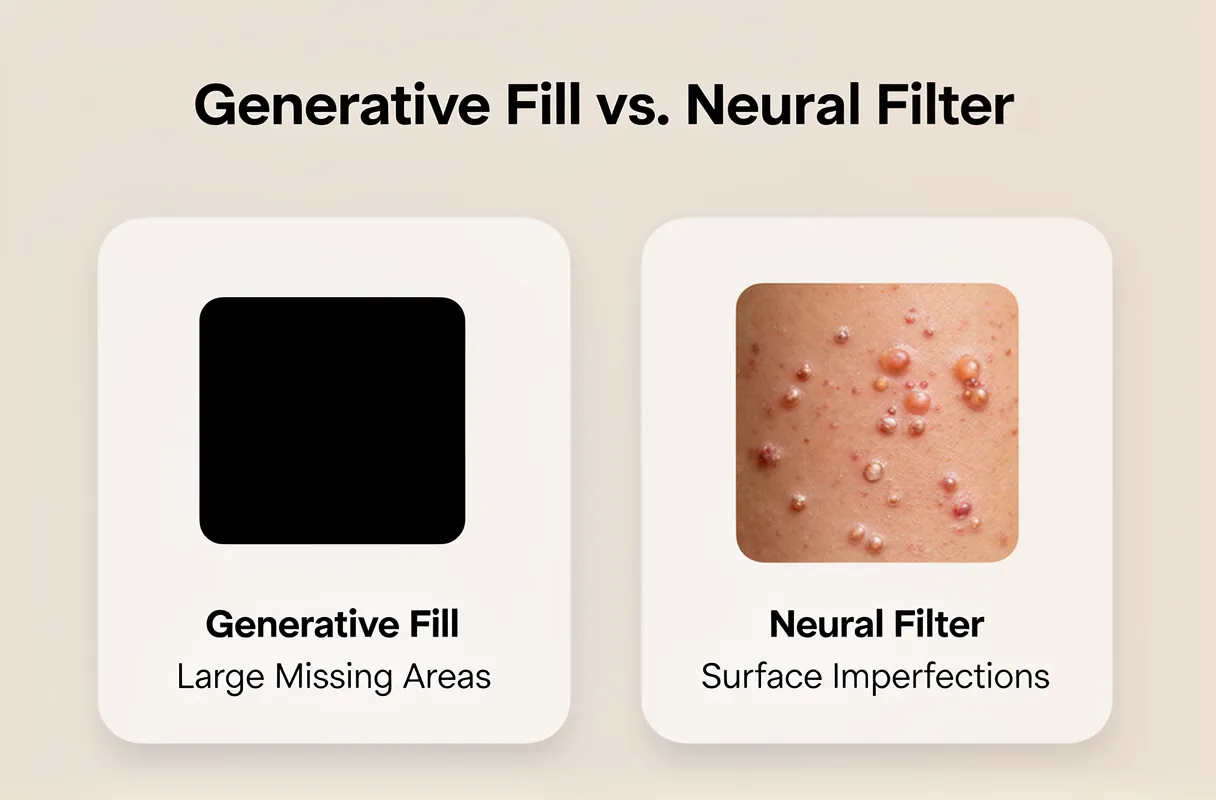
For significant photo damage, Generative Fill excels at reconstructing large missing areas, while the Neural Filter is your go-to for refining surface imperfections like scratches and dust. Choosing correctly saves time and yields superior results.
Here's a guide to selecting the right AI tool for specific photo restoration tasks:
| Damage Type | Generative Fill Suitability | Neural Filter Suitability |
|---|---|---|
| Large tears/missing corners | High. Excellent for generating plausible content to fill gaps. | Low. Not designed for large-scale reconstruction. |
| Severe fading/discoloration | Moderate. Can help rebuild color tone in broad areas. | High. Targeted color correction features improve faded images. |
| Fine scratches/dust/noise | Low. Can sometimes blur or incorrectly fill these details. | Excellent. Specifically designed for automatic removal. |
| Water damage (partial areas) | Moderate. Can attempt to reconstruct affected textures. | Moderate. Can help blend and smooth water-damaged textures. |
| Facial reconstruction (minor) | Moderate. Can fill small missing facial features. | High. Can subtly refine and restore facial details. |
| Background extension | Excellent. Ideal for expanding scenes naturally. | Not applicable. |
| Removing small unwanted objects | High. Can generate seamless removals. | Low. Better suited for surface blemishes, not distinct objects. |
Generative Fill is generally faster for broad reconstruction tasks because it operates on a larger scale. However, the Neural Filter often provides more precise, higher-fidelity results for fine detail work due to its specialized algorithms. Expect Generative Fill's output to sometimes require minor touch-ups, while the Neural Filter might offer a more polished, albeit less transformative, result for surface damage.
Optimizing Your Workflow with Combined Approaches
Combining Photoshop's AI features and traditional tools creates a powerful restoration workflow. Generative Fill excels at reconstructing significant missing areas, while the Photo Restoration Neural Filter precisely targets surface imperfections like scratches and dust. Even so, traditional Photoshop tools remain essential. Tools like the Healing Brush, Spot Healing Brush, Content-Aware Fill, and the Remove Tool offer granular control for final clean-up.
Here’s a practical approach for heavily damaged photos:
- Major Reconstruction: Start with Generative Fill to intelligently reconstruct large tears, missing corners, or significant object removal. This handles the bulk of the "heavy lifting."
- Surface Imperfection: Apply the Photo Restoration Neural Filter to automatically remove fine scratches, dust specks, and minor blemishes that Generative Fill might not address perfectly.
- Fine-Tuning: Employ traditional tools like the Healing Brush and Spot Healing Brush to perfect edges, blend areas, and remove any remaining minor artifacts that AI might have missed or introduced.
- Contextual Refinement: For very specific areas, the Content-Aware Fill or Remove Tool can provide precise manual control that AI might not grasp.
Some Photoshop AI capabilities, such as generative upscale, AI denoise, and AI sharpen, may utilize underlying models from partners like Topaz AI. For a broader understanding of restoring old damaged photos, including various techniques and tools, explore our comprehensive guide to photo restoration.
Pro Tip: Always consider historical accuracy. AI can sometimes "hallucinate" details not present in the original. Manually review and correct any AI-generated elements that feel anachronistic or incorrect for the photo's era.
Purpose-Built AI: A Powerful Alternative for Old Family Photos
For users who find Photoshop's generative features complex, specialized AI tools offer a direct path to restoring old photos. These purpose-built platforms automate the repair of damage like scratches, fading, and color loss, delivering professional results with minimal user input.
This approach bypasses the learning curve of advanced software. It focuses solely on reviving cherished memories, understanding that your primary goal is a quick, high-quality revival of precious family photographs. These tools are designed to be your empathetic digital conservator.
When considering alternatives to repair old photos photoshop workflows, dedicated AI restoration tools shine for their simplicity and targeted effectiveness. While Photoshop offers powerful generative capabilities, purpose-built AI platforms deliver automated, high-quality results specifically for damaged images.
Key Insight: External AI photo restoration services exist because they address a distinct need: offering an effortless, automated solution for anyone wanting to revive old family photos without mastering complex editing software.
Here’s a look at how these specialized tools compare to more general generative AI:
| Damage Type | Generative Fill Suitability | Neural Filter Suitability | Purpose-Built AI Suitability (e.g., BringBack) |
|---|---|---|---|
| Large tears/missing corners | High (requires manual guidance) | Low (not designed for reconstruction) | Very High (specialized reconstruction) |
| Severe fading/discoloration | Medium (can be unpredictable) | Medium (colorization feature) | Very High (dedicated color restoration) |
| Fine scratches/dust | Medium (may create artifacts) | High (Photo Restoration Filter) | Very High (precise scratch removal) |
| Water damage (partial) | Medium (requires careful masking) | Low (not specific) | High (can intelligently infer missing data) |
| Facial reconstruction (minor) | Medium (can introduce errors) | High (Restoration Filter) | High (often trained on faces) |
| Background extension | High | Not applicable | Not applicable (focus on repair) |
Output quality from purpose-built AI can be exceptionally high, often matching or exceeding what a novice user could achieve in Photoshop. Processing speed is typically rapid, with many tools completing restorations in seconds to minutes, a stark contrast to the hours some complex Photoshop edits might take. These tools are built to understand the unique challenges of aged photographs.
BringBack: Automated, High-Quality Restoration for Cherished Memories
Output quality from purpose-built AI can be exceptionally high, often matching or exceeding what a novice user could achieve in Photoshop. Processing speed is typically rapid, with many tools completing restorations in seconds to minutes, a stark contrast to the hours some complex Photoshop edits might take. These tools are built to understand the unique challenges of aged photographs.
While Photoshop's Generative Fill offers immense power, specialized external AI photo restoration tools provide a streamlined alternative. Services like LetsEnhance, HitPaw, and DeeVid AI are designed with a singular focus: bringing old photos back to life. LetsEnhance, for instance, features a dedicated 'Old Photo' restoration model and an 'Authentic mode' toggle, preserving the original photo's character while fixing damage. This specialized approach is precisely why many users are exploring these options, echoing the broader trend of adopting generative AI for restoring old photos.
For those seeking an effortless yet powerful solution for their most precious memories, our tool, BringBack, offers a direct path to revival. We've built our platform specifically for family heirlooms, ensuring a user-friendly experience from scan to share.
Here’s how easily you can bring your cherished photos back to life with BringBack:
- Scan Your Photo: Use your smartphone camera to capture the best possible digital image of your physical photograph.
- Upload to BringBack: Simply upload the scanned, damaged photo into our intuitive AI tool.
- AI Analyzes & Repairs: Our AI instantly analyzes the damage, applying targeted repairs for scratches, fading, and tears in mere seconds.
- Review & Download: Preview your restored, high-resolution photo. You can also choose to generate an animated version.
- Share the Magic: Relive and share your revived memories with loved ones.
We understand that sentimental value often outweighs cost. That's why BringBack offers a one-time payment for credits that never expire. You can mix and match these credits for photo restoration or captivating animation, ensuring you always get the most out of your preserved memories. Understanding the specialized approach of AI tools like BringBack can be invaluable for those looking to revive highly sentimental photographs, and you can learn more about how to restore wedding photos with AI on our blog.