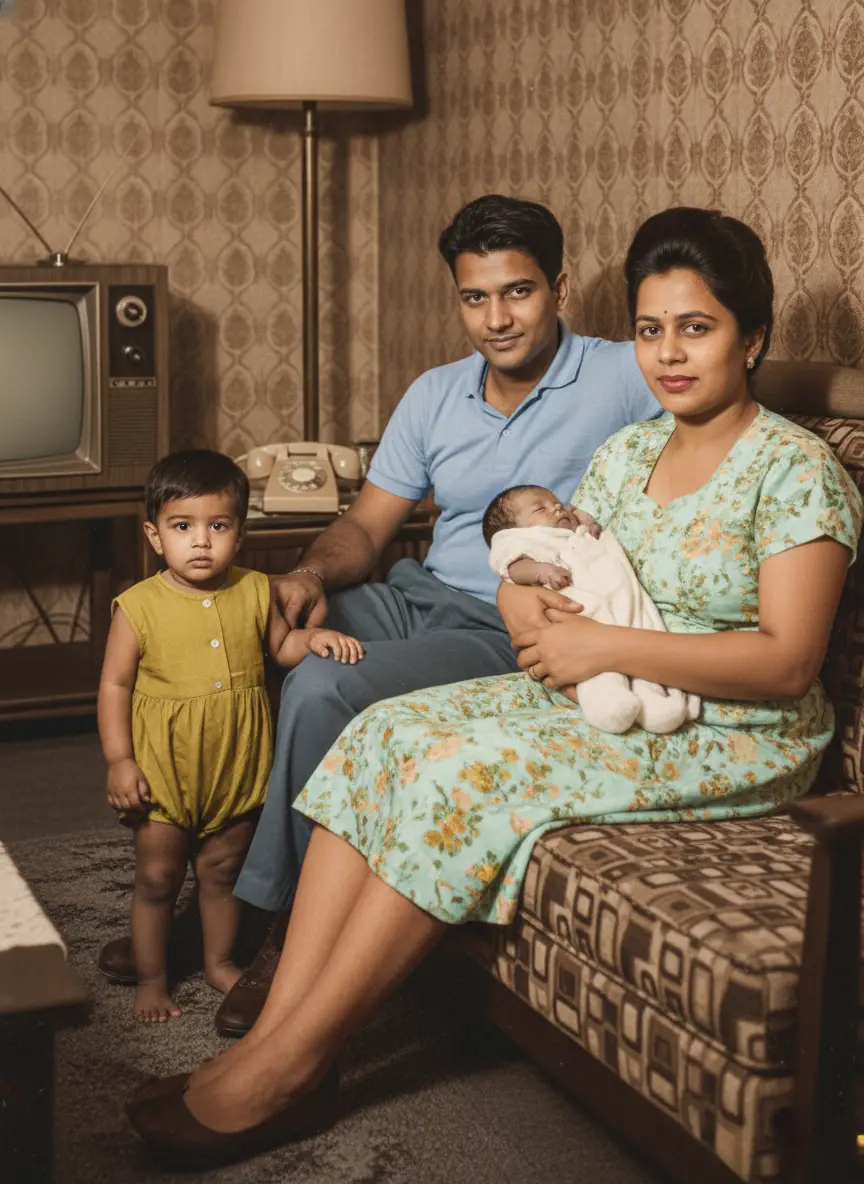
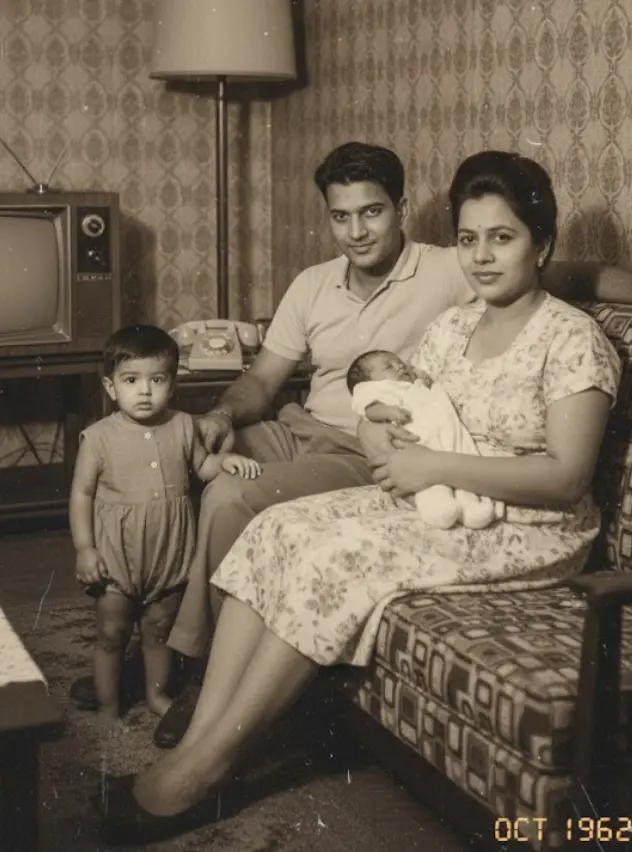
The technology to make old photos move and smile isn’t a Hollywood secret anymore—it’s driven by highly accessible AI motion synthesis. By mapping realistic facial expressions onto a static black-and-white portrait, anyone can now make an ancestor blink, smile, and move naturally.
It’s a breathtaking effect that closes the gap between the past and present in a single, powerful moment. But it also raises questions. How exactly does it work? Is it safe? And why do some animations look incredibly real while others turn into “deepfake” nightmares?
In this comprehensive guide, we go beyond the basics to explain the generative AI behind the magic. We cover the ethics of animating the deceased, how to fix common errors for anyone with a box of old family photos, and the exact step-by-step process to turn a static image into a living memory using tools like BringBack.pro.
What is AI Photo Animation and how does it actually work?
When you see these moving/animated photos, people tell you “It’s AI,” you also want to that but to get the best results, you need to understand what the AI is actually doing.
That life movements you see in an animated photo isn’t a random effect. It’s the result of a sophisticated AI model that has been trained on thousands of hours of video of real human faces.
The AI has become an expert on the subtle mechanics of human expression.
It has learned how the muscles in a cheek contract to form a natural smile. It knows the precise way eyelids move when they blink.
It understands the small, almost imperceptible head tilts we make when we’re curious.
The technology relies on a concept called Deep Learning and, specifically, Generative Adversarial Networks (GANs).
When you upload a still photo, the AI identifies the key facial landmarks—the corners of the eyes, the tip of the nose, the shape of the lips. It then applies its knowledge of human expression to that static face, creating a short, realistic video sequence of a natural movement.
Crucially, this is not a “deepfake.”A deepfake tries to invent new, specific actions or words. Good AI photo animation is about applying a universal, subtle pattern of human expression to a portrait.
The goal isn’t to make your great-grandfather say something he never said. It’s to give you a brief, magical glimpse of the living person you’ve only ever seen in a static moment.
The Golden Rule: Restoration Before Animation
This is the #1 mistake people make.
If you upload a grainy, scratched, or sepia-toned photo directly into an animation tool, the result will be poor.
- Why? If the AI cannot clearly distinguish the eyelid from a scratch on the photo, it will try to “blink” the scratch. This creates a warping effect known as “artifacts.”
The Workflow for Perfection:
- Scan/Digitize: Get the highest resolution possible.
- AI Restoration: Use a tool to fix heavily damaged photos, de-blur, de-noise, and sharpen facial features.
- Colorization (Optional): Adding color helps the AI distinguish skin from background.
- Animation: Only animate after the face is clean.
What You Need Before You Start
Ready to give your old photos new life? Here’s a quick checklist.
- Physical Photos: Got some prints lying around? Dust them off.
- Smartphone or Scanner: To digitize your physical memories.
- Digital Photos: If they’re already on a computer, even better.
- Internet Connection: Needed for uploading and processing.
- A BringBack AI Account: Sign up to get started.
For the best results, start with well-lit, high-quality digital images. BringBack accepts common file formats like JPG and PNG.
The higher the image resolution, the more realistic the final animation will be. We’ve found photos with good lighting and minimal damage yield the most lifelike results. Taking a moment to pick the best source photo makes a huge difference.
How to turn still photos into moving ai photo animation
You don’t need any technical skills to make your old family photos move. If you can upload a photo, you can create a living memory. Here is the entire process, broken down into four simple steps for use of an old photo to video ai tool.
Step 1: Choose the Right Photo
For the best results, start with a clear, relatively front-facing portrait. The AI works best when it can clearly see both eyes, the nose, and the mouth.
A higher-quality image will always produce a more realistic animation. If your photo is faded, scratched, or damaged, it’s highly recommended to use a restoration tool first. A clean, restored face gives the AI the best possible canvas to work with.
(Editor’s Note: For a detailed guide on this, see our article on How to Restore Old Photos Online.)
Digitize Your Photo (If It’s a Physical Print)
If your photos are still in an album, you’ll need to bring them into the digital world first.
You have two main options:
- Use a Scanner: This provides the highest quality digital image.
- Use a Smartphone App: A convenient choice if you don’t have a scanner.
When scanning, aim for good lighting and a steady hand. A high resolution scan captures the most detail. We suggest 300 DPI (dots per inch) or higher.
If you’re using a smartphone, we recommend Google Photoscan. It’s free and helps correct perspective and reduce glare automatically.
Pro Tip: For archiving, save your original scans as TIFF or PNG. These are “lossless” formats, meaning no quality is lost. While animation tools often use JPG, your archival copy will remain pristine.
Step 2: Upload to a Dedicated Animation Tool
Selecting the right AI old photo animation tool is key to getting a result you’ll love. Here’s a rundown of popular options:
- BringBack: We focus on natural-looking animations that create heartwarming nostalgia, not creepy deepfakes. Our AI is built to make movements feel genuine and lifelike.
- Deep Nostalgia (MyHeritage): Known for creating a subtle sense of movement in portraits. Some users, however, find the results a bit unsettling.
- Revive AI Photo Animator: A good tool for quick animations, but it can sometimes lack the nuance of other options.
- JoggAI: Offers a range of animation styles if you want more creative control over the final look.
- Animate Old Photos Online (cutout.pro): A simple, no-fuss option for basic animations.
Think about your goal. Do you want pure realism or something more playful? Your desired outcome will guide your choice.
Ready to see how BringBack is different?
This is the main event. You’ll use a specialized AI photo animation tool like BringBack.pro.
Our tool is specifically designed for the subtle, realistic facial restoration and animation of historical photos. Just drag and drop your high-resolution restored photo into the uploader.
Step 3: Select an Animation Style & Preview
Once uploaded, you’ll be given a few simple choices. Good tools don’t just give you one option; they let you direct the moment.
Common styles include:
- The Gentle Smile: Adds a warm, subtle smile.
- The Wave and smile: People subtly smiles and waves their hands.
- The Look Around: The eyes and head shift slightly, as if looking around a room.
- The Warm Blink: A simple, calming animation of the eyes blinking naturally.
and many more….

Step 4: Download Your Living Memory
Once you’re happy with the preview, simply click “Download.”
The tool will process the image and provide you with a short video file (usually an MP4). This small, shareable file is your finished product—a living moment, ready to be shared with your family.
BringBack values your privacy. All uploaded photos are automatically deleted after 7 days.
Step 5: Share Your Animated Photo (and Back It Up!)
It’s time to share your reborn memory.
- Post your video on social media.
- Send it directly to family and friends via messaging apps.
Sharing is a wonderful way to connect with others and rekindle cherished memories.
Most importantly, back up your animated video so you never lose it.
- Use cloud storage like Google Drive or Dropbox.
- Save a copy to an external hard drive.
- Keep copies on multiple devices.
Accidents happen. A proper backup ensures your animated memory is safe
A Note on Ethical and Responsible Use
AI photo animation is a powerful technology, and it’s on all of us to use it wisely.
- Deepfakes: This technology can be used to spread misinformation. Always be transparent that an animation is AI-generated.
- Consent: Never animate a photo of someone without their permission. If they’re no longer with us, ask yourself if it’s something they would have wanted.
- Misuse: Avoid creating content that is malicious, disrespectful, or harmful.
Let’s prioritize responsible use to honor memories and respect individuals. We use AI ethics as our guiding star.
Troubleshooting: Why Does My Animation Look Weird?
Even the best AI sometimes hits the Uncanny Valley that unsettling feeling when something looks human but isn’t quite right. Here is how to fix common issues.
Problem 1: The “Jelly” Background
Symptom: When the head moves, the hair or the wall behind them moves with it.
Fix: The AI is having trouble separating the foreground from the background. Try running a “Background Removal” tool first, place the person on a solid color, and then animate.
Problem 2: Warped Glasses
Symptom: The frames of the glasses bend like rubber when the person blinks.
Fix: This happens when the contrast between the frames and the skin is low. Use a restoration tool to sharpen the glasses before animating.
Problem 3: The “Teeth” Glitch
Symptom: The person smiles, and the teeth look blurry or merged.
Fix: The AI is guessing what the teeth look like. It is better to choose a “Closed Mouth” driver video (a subtle smile) for photos where the subject’s mouth is originally closed.
Choosing the best AI tool to animate/move old photos of your loved ones
Once you start looking, you’ll find a lot of apps that promise to animate photos. The key is choosing the right tool for the job.
The app you might use to make a funny meme isn’t the one you’d trust with your great-grandmother’s only portrait.
Here’s a simple, honest breakdown.

The “Free Photo animation App” Option
You’ll see these advertised on social media. They’re often fun, fast, and a great way to see the technology in action for the first time.
- Best for: Quick tests, creating a funny GIF for a friend, or on photos that aren’t sentimentally valuable.
- The Downsides: They almost always come with trade-offs. Be prepared for watermarks on your final video, lower-resolution downloads, and animations that can sometimes feel a bit cartoonish or exaggerated.
The “Professional Photo Animation Tool” Option
This is where a dedicated, high-quality tool like BringBack AI comes in. It’s built for a purpose: achieving a realistic, respectful, and high-quality result for your most important and loved photos.
- Best for: Important family photos, genealogy projects, and creating heartfelt gifts.
- The Advantages:
- No Watermarks. Your memory is the hero, not our logo.
- High-Resolution Output. You get a crisp, clean video file that looks great on any screen.
- AI Models Trained for Realism. This is the biggest difference. Our AI is specifically trained for subtlety. It aims to create a gentle, emotional “spark of life,” not an artificial effect.
The choice is about matching the tool to the memory. For the photos that truly matter, using the best AI tool to animate old pictures ensures the final result is as beautiful and moving as the memory itself.
Ethics: Is it Okay to Animate the Dead relatives?
This is the most debated topic in the industry. While the technology is incredible, it carries emotional weight.
The Consent Debate
Critics argue that the deceased cannot consent to having their likeness animated. However, genealogists generally view this as a modern evolution of the photo album—a way to honor memory rather than exploit it.
The Deepfake Distinction
It is vital to distinguish between Animation (bringing a memory to life) and Deepfaking (making a person say words they never said).
BringBack.pro prohibits the creation of deceptive content. Our tools are designed strictly for emotional movement, not speech synthesis or manipulation.
Data Security
When using “Free” apps on the App Store, you are often paying with your data. Many free apps claim rights to the photos you upload.
The Pro Difference: Professional tools like BringBack AI operate on a strict privacy model. Photos are processed and then deleted from the server. We do not use your ancestors’ faces to train our algorithms.
Creative Ideas for Your Animated Photos
Once you’ve created your animated photo, you’ve captured a small piece of magic. But the real joy comes from sharing it. This isn’t just a file to keep on your computer; it’s a new way to tell your family’s story.
Here are three powerful ways to use your new living memories.
1. The “Big Screen” Reveal at a Family Reunion
This is the ultimate showstopper. Imagine a quiet moment during a family gathering where you project an animated photo onto a large screen.
For a few seconds, the room will fall silent as they watch their grandfather give a gentle smile or their mother blink and look around the room. It’s a shared, communal experience that creates a powerful connection across generations.
2. The Unforgettable Anniversary or Birthday Gift
An animated portrait is one of the most personal and moving gifts you can give.
Find a photo of a lost loved one—a parent, a grandparent, a spouse. Restoring, colorizing, and then animating it as the final touch creates a gift that is far more than an object. It’s a living tribute. Loading it onto a digital photo frame for a parent or grandparent is a beautiful way to bring a cherished memory back into their daily life.
3. The Viral Family History Post on Social Media
Sharing your family’s history online can connect you with relatives you never knew you had. An animated photo is the perfect way to make your story stand out.
Posting a short video of your ancestor’s “living portrait” on Facebook or a genealogy group is a powerful hook. It turns a simple post into an engaging piece of storytelling that makes people stop, look, and connect with the person behind the photo. It’s the perfect tool for any living memories photo app or project.
The Future of AI Photo Animation
What’s next? The future is bright. Expect even more realism, where animations are nearly indistinguishable from real video.
Here’s what we see coming:
- Enhanced Realism: Smoother movements and more nuanced, lifelike expressions.
- Diverse Styles: Imagine animations tailored to specific eras, like a 1920s dance.
- AI Integration: AI could help craft entire narratives, allowing photos to tell their own stories.
AI technology is constantly evolving. We’re excited about the possibilities and committed to building a future where memories can feel truly reborn.
Frequently asked questions about AI Photo animation
Can I animate a group family photo?
Yes, with BringBack AI, you can animate a whole group of family persons in a photo. Most other tools focus on one face at a time. But bringback ai handles it automatically.
Can I add voice to the photo?
Some tools allow “Lip Sync” (Lip Dub), but this often reduces realism and looks more like a cartoon. For a respectful tribute, silent movement is usually recommended.
Can I animate a photo where the person is looking to the side?
Yes, but the results are often distorted. AI models are trained on front-facing data; when you animate a side profile, the AI has to “hallucinate” the hidden side of the face, often leading to a different person these days. For best results, use portraits where the subject is facing the camera.
Is it possible to animate two people in the same photo at once?
Yes. Unlike most basic apps that force you to crop down to one person, BringBack.pro is designed to handle multiple subjects automatically. Our AI identifies all faces in a frame and applies synchronized, natural movements like blinking and smiling to everyone in the photo simultaneously, preserving the original group dynamic.
How do I get rid of the watermark on my animated video?
Free apps use watermarks to protect their bandwidth costs. To get a clean, watermark-free video suitable for family gifts or heritage projects, you will need to use a professional tier tool like BringBack.pro.
What file format do I need to upload for photo animation ?
Use JPG or PNG files. Avoid uploading screenshots of photos, as they contain “noise” that confuses the AI. For the best animation, use a high-resolution scan (300 DPI) of the original physical photograph.
Is my family’s data and photo privacy protected?
Many free “viral” apps harvest facial data for advertising. Professional tools like BringBack.pro prioritize privacy; photos are typically processed and then permanently deleted from the servers within a short window. Always check the privacy policy before uploading sensitive family history.
Can I animate a photo of a pet?
Yes. While many ai tools struggle with animals because their AI is only trained on human faces, BringBack.pro uses a universal “Geometry Mapping” engine. This allows the AI to identify the eyes and mouth of a dog, cat, or even a horse. It can simulate natural blinks, head tilts, and “panting” movements, making it one of the few professional tools capable of bringing pet portraits to life without the usual “uncanny” distortion.
Conclusion: From a photo to a living person
As we’ve seen, AI photo animation is more than just a clever piece of technology. It’s a new bridge to the past. It’s a tool that allows us to take a static, silent record of a moment and turn it into a deeply felt connection with a person.
The creative possibilities are endless, but they all lead back to the same simple, powerful experience: seeing the face of someone you love, someone you miss, or someone you’ve only ever known through stories, and watching them come to life for a brief, magical moment.
You no longer have to just wonder what their smile looked like. You can see it for yourself.
Ready to see the magic?
Animate your first old family photo with BringBack.pro and turn it into a living ai photo animation.